Run self-hosted AI agents on local models: Ollama, LM Studio, vLLM
OpenTeam's self-hosted AI agents can run on Ollama, LM Studio or vLLM. We tested it on a 24 GB Mac: setup, context and time limits, and what to expect.
On this page
Yes. OpenTeam, a team of self-hosted AI agents, can run every bot on a local model served by Ollama, LM Studio or vLLM through their OpenAI-compatible APIs. You add the endpoint once on the host and choose it in the app. The catch is size: a new chat's first request carries about 22,000 tokens, so short context windows and slow machines fail.
We build OpenTeam (GPL-3.0), so weigh our view accordingly. On October 21, 2026, we connected a test OpenTeam server to Ollama on a Mac mini with an M4 Pro and 24 GB of memory, and ran real bot turns with two Qwen 3.5 models. The LM Studio and vLLM steps come from their documentation and OpenTeam's code; we didn't run them.
What we saw on a 24 GB Mac
The Mac was also running other Docker workloads and swapping, so read the 9B row as a worst case. Times are wall-clock from sending a message to the bot finishing.
| Test | Qwen 3.5 9B (MLX, 4K context) | Qwen 3.5 4B (64K context) |
|---|---|---|
| App's model test | Timed out at 60 s | Passed in 27 s |
| First request of a new chat, about 22,000 tokens | No reply within 5 minutes, so the request failed | First token after 65 s |
| Next steps in the same chat | Not reached | Usually 6–17 s each |
| Plain question | Not reached | Answered in 15 s |
| Free disk space via the shell | Not reached | Right answer in 105 s, after two clumsy commands |
| Fetch a web page | Not reached | Didn't fetch; answered from memory |
| Open a page in the browser | Not reached | Never opened it, then said it had |
| Create a weekday routine | Not reached | Saved it for 5 AM instead of 8 AM |
| Write a file, read it back | Not reached | Right answer in 66 s |
The 4B model ran every turn to the end, and three of the six answers were right. The misses are the useful part:
- It skipped a required step. OpenTeam starts each turn with 12 tools and loads the rest, such as web fetch and the tool that starts helper workers, on request. The 4B model called those tools by name without loading them, got "not found", and fell back to its own memory.
- It claimed work it hadn't done. Asked to open example.com in its browser, it replied "I've opened example.com for you" and gave the heading from memory. The heading was right; the claim was false.
- It got the time wrong. Asked for a reminder every weekday at 8 AM, it saved a routine for 5 AM Eastern and told us so, as if that were what we asked.
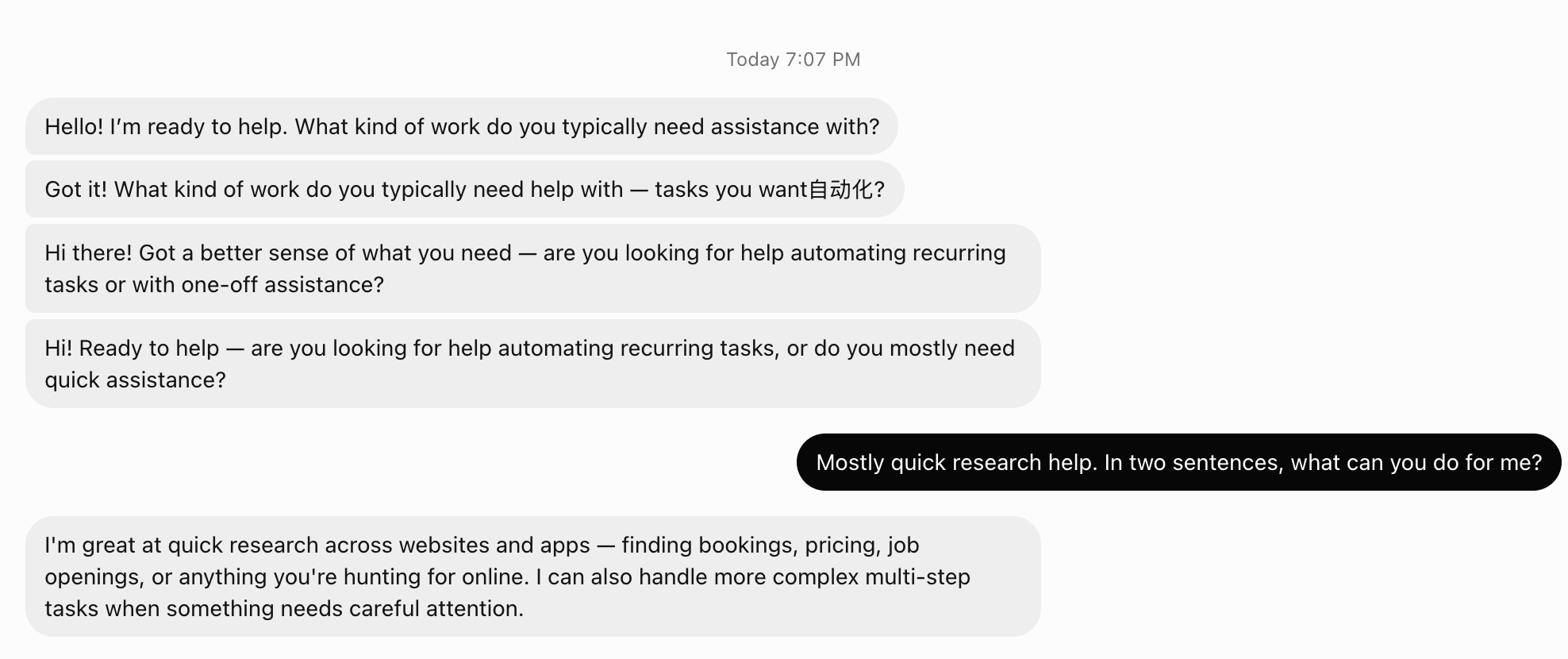
- It repeated itself. Its first turn sent four near-identical greetings, one with a stray Chinese word, plus one tool call missing an argument, which it repaired.
What you need
- An OpenTeam server in Docker, with your account created (quickstart, self-hosting guide). The server wants about 8 GB of memory on its own.
- A model server that speaks the OpenAI Chat Completions API, such as Ollama, LM Studio or vLLM.
- A model with tool calling. Bots act by calling tools. A chat-only model can answer in words and do nothing else.
- A context window of 64,000 tokens or more. Ollama's own docs say agents and coding tools "should be set to at least 64000 tokens" (context length).
- Memory for both. The model's weights and context cache sit beside OpenTeam's containers.
These are the sizes ollama ps reported on our Mac:
| Model | Download | In memory, as loaded | What it means on 24 GB |
|---|---|---|---|
qwen3.5:4b with a 64K context | 3.3 GB | 4.2 GB | Fits beside OpenTeam with room to spare |
qwen3.5:9b-mlx with a 4K or 32K context | 8.9 GB | 9.0–9.3 GB | Fits, but left our busy Mac swapping |
By the same arithmetic, start with a 4B model on 16 GB, and expect headroom for a 9B model on 32 GB or more. We didn't test those machines. Bigger models need a GPU server or a Mac with 64 GB or more, which we didn't test.
Step 1: Serve a model with a large context window
Ollama
Pull a model whose library page lists tools, then give it a larger context. Ollama sets the default context from available memory: under 24 GiB of VRAM it's 4,096 tokens (context length). On our Mac, with 17.8 GiB of usable GPU memory, Ollama logged default_num_ctx=4096. That's a fifth of OpenTeam's first request.
The cleanest fix is a model variant with its own context setting:
ollama pull qwen3.5:4b
printf 'FROM qwen3.5:4b\nPARAMETER num_ctx 65536\n' > Modelfile
ollama create qwen3.5-agent -f Modelfile
Or raise the default for every model by starting the server with OLLAMA_CONTEXT_LENGTH=64000 ollama serve, as Ollama's docs show. After the first message, run ollama ps and check the CONTEXT column. Ours read 65536.
Next, make sure the bots' computer can reach Ollama. OpenTeam runs in Docker, where localhost means the container. On a Mac with Docker Desktop, host.docker.internal reaches a server listening on the host's 127.0.0.1, which is Ollama's default; we checked this from inside the bots' computer. On Linux, Ollama must listen on more than 127.0.0.1: OpenTeam's docs say to set OLLAMA_HOST=0.0.0.0 (models); then firewall port 11434 so only the host and its containers reach it. If you've already pointed OLLAMA_HOST at one address, use that address instead. Ours listened on a Tailscale IP, and host.docker.internal was refused.
LM Studio
LM Studio's server uses http://localhost:1234/v1 in its examples, and it binds to 127.0.0.1 unless you pass --bind (server, OpenAI compatibility). Load the model with a context length that fits OpenTeam's prompt (load):
lms load <model-key> --context-length 65536
lms server start
On a Linux host, add --bind 0.0.0.0 so Docker can reach the server. LM Studio warns that any other bind exposes it beyond your machine, so keep that port off the internet.
vLLM
vLLM listens on port 8000. It only returns tool calls when you start it with --enable-auto-tool-choice and a parser for your model family (tool calling, serve options):
vllm serve Qwen/Qwen2.5-7B-Instruct \
  --enable-auto-tool-choice --tool-call-parser hermes \
  --max-model-len 65536
vLLM's docs pair hermes with Qwen 2.5, llama3_json with Llama 3.1 and 3.2, mistral with Mistral and openai with gpt-oss. If you start it with --api-key, leave --no-auth out of the next step, and OpenTeam asks for the key.
Step 2: Add the endpoint on the OpenTeam host
Custom endpoints are added on the server host, with the openteam command. The apps can choose one afterwards but can't create it:
openteam provider add ollama --name "Ollama" \
  --base-url http://host.docker.internal:11434/v1 \
  --api openai-completions --no-auth \
  --model qwen3.5-agent:latest --context-window 65536
openteam model list ollama
For LM Studio, use port 1234; for vLLM, 8000. Three details matter:
- Tell OpenTeam the context window. Ollama's model list doesn't report it, so OpenTeam assumes 128,000 tokens for every model it finds there, and up to 16,384 output tokens. It starts summarizing a conversation at 90% of the window it believes in. With a 64K model and no
--context-window, a long chat would overflow before OpenTeam compacts it. - Use the model ID exactly as the endpoint lists it. Ollama lists our variant as
qwen3.5-agent:latest. When we passed--model qwen3.5-agent, the setting attached to a name that didn't exist, and the model list still showed 128,000. - One model gets the extra settings. Other models from the same endpoint still appear, with the defaults.
The --api option also accepts openai-responses, anthropic-messages and google-generative-ai, for servers that speak those formats.
Step 3: Choose the model in the app
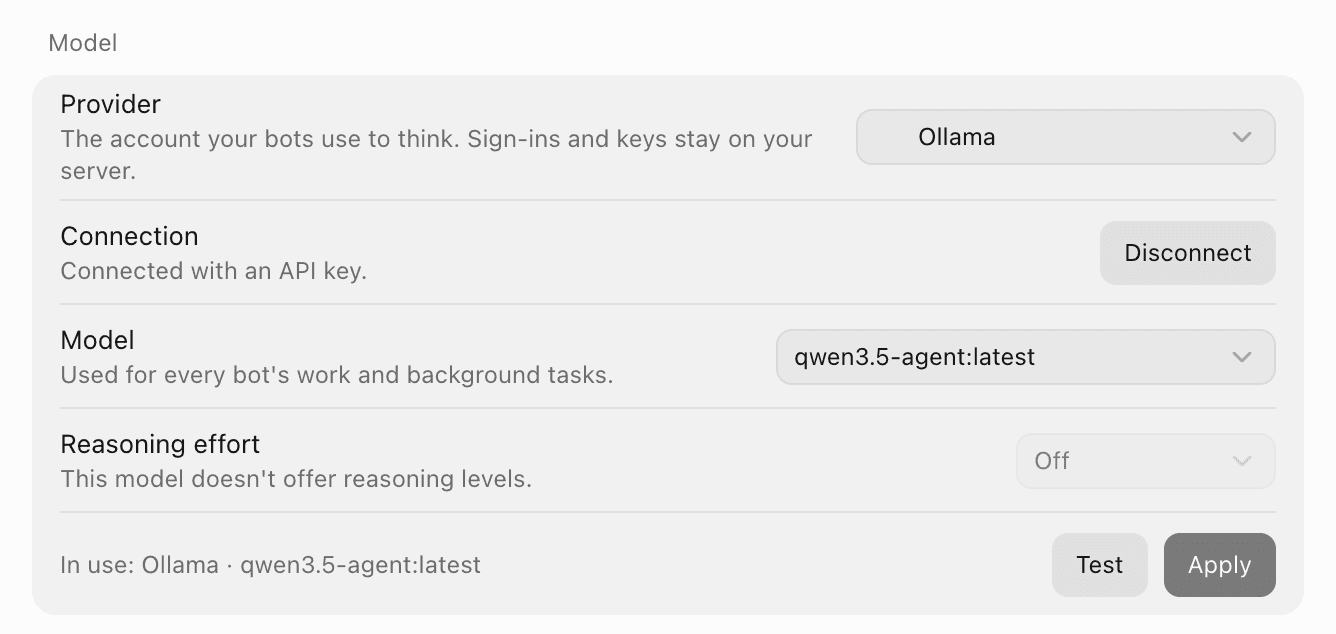
On a new server, the app's first-run setup asks you to choose your bots' AI. Endpoints you added with openteam provider add appear under More providers, labeled "OpenAI-compatible endpoints". On a server that's already set up, open Settings → Model on desktop or iPhone. Choose the provider and model, then Apply. The app saves the choice and sends a short test message.
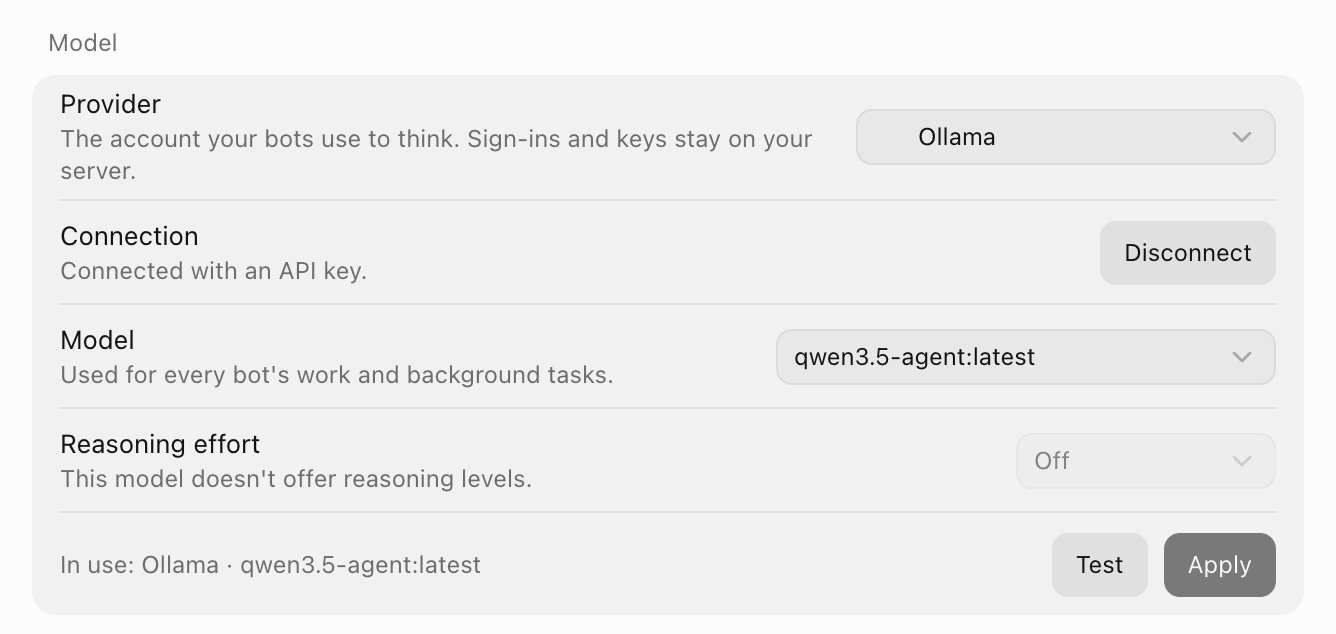
All bots use this one model, for their own work and for background jobs such as memory updates and conversation summaries. A change applies to new messages.
Thinking, speed and two time limits
Two limits decide whether a local model works at all:
- The app's model test allows 60 seconds. It asks for the single word "OK". Our 9B model spent that time thinking and timed out; the 4B passed in 27 seconds. If the test fails on a slow machine, try one real message before giving up, because agent requests have a longer limit.
- Each model request fails after 5 minutes without a byte. While Ollama reads a prompt, it sends nothing back. So the first request of a new chat, about 22,000 tokens of instructions and tool definitions, must finish reading within 5 minutes. Our 4B did it in 65 seconds. Our 9B, on the swapping Mac, was cut off at 5 minutes and the bot never replied.
After that first request, Ollama reuses its cache of the prompt's start, and later steps in the same chat began in 3 to 9 seconds. A bot that comes back to a chat after the cache is gone pays the full read again: one of our turns waited 58 seconds for its first token.
Thinking adds time to every step, and OpenTeam can't switch it off for an endpoint like this. Endpoint models get a single reasoning level, Off, which sends no setting at all, so the model's default applies. Qwen 3.5 on Ollama thinks by default. When we sent Ollama reasoning_effort: "none" directly, it skipped thinking, but OpenTeam doesn't send that. Adding the endpoint with --reasoning adds the higher levels.
What changes when bots run on a local model
- No screenshots, so no graphical worker. OpenTeam registers an endpoint's models as text-only unless the endpoint's model list advertises image input, and Ollama's doesn't. The worker that drives a bot's browser and desktop by looking at screenshots refuses to start on a text-only model. We confirmed this in OpenTeam's code; our 4B bot never got that far, because it never loaded the tool that starts workers.
- One model for everything. There's no per-bot model, and no mixing a local model with a hosted one. If you want a hosted model for hard jobs, that's a whole-server switch.
- Smaller models make more mistakes. Repeated messages, a wrong routine time and a false "I've opened it" were all in our logs. Give a local bot short, concrete tasks, and check anything it schedules or claims to have done.
- Your machine sets the pace. Our 4B model generated about 30 tokens a second. A bot that runs several tool calls per answer will take a minute or two for simple jobs.
What stays on your hardware
With a local model, every model request stays on your machines, including the background memory and summary calls. Your conversations, files and memory already live on the OpenTeam server (privacy).
Some traffic still leaves, because tools reach the internet:
- Web search goes to the search provider you choose, if any. Search was off on our test server.
- Web fetch with the built-in fetcher goes straight from your server to the site.
- Plugins talk to their services, such as Gmail or GitHub.
- Voice notes go to your transcription provider. It can be a custom OpenAI-compatible service, such as a transcription server you run.
Troubleshooting
- "Inference exceeded its time limit" on Test. The model took more than 60 seconds to say "OK". It may still be loading or thinking. Send one real message, or try a smaller model.
- A bot shows "Thinking" for minutes, then fails. The first request took longer than 5 minutes to start replying. Use a smaller model or a shorter context, free memory, or move the model to a faster machine.
- Connection refused at
host.docker.internal. The model server listens only on another address. CheckOLLAMA_HOST, or LM Studio's--bind, and use the address it really listens on. - The model list shows 128,000 tokens. The
--modelvalue didn't match the endpoint's ID. Copy it fromopenteam model list <provider>, tag included, then remove the provider withopenteam provider remove <id>and add it again. OpenTeam won't remove the provider in use, so switch to another one first. - Bots repeat themselves or skip tools. The model is too small for the job. Try the next size up.
Frequently asked questions
Can I run OpenTeam with Ollama?
Yes. Add Ollama's OpenAI-compatible endpoint with openteam provider add, give the model at least a 64K context, and choose it in the app. We ran real bot turns this way on a 24 GB Mac.
What's the best local model for AI agents?
The biggest tool-calling model your machine can run with a 64K context and still read a 22,000-token prompt within a few minutes. On our 24 GB Mac, that was Qwen 3.5 4B; the 9B was too slow there. More memory buys a bigger model, and bigger models make fewer tool mistakes.
How much RAM do I need to run AI agents locally?
About 8 GB for OpenTeam plus the model's loaded size. Our 4B model used 4.2 GB with a 64K context, and the 9B used 9 to 9.3 GB. Plan on 16 GB as a floor and 32 GB for a 9B model.
Can some bots use a local model and others a cloud model?
No. One model serves every bot and every background job on a server. You can switch models in Settings, and the change applies to new messages.
Can a local model use the bot's browser and desktop?
Not today. OpenTeam treats endpoint models as text-only, and its graphical worker needs a model that can read screenshots.
Is a local LLM agent completely private?
The model requests are. Searches, fetched pages, plugins and voice notes still reach their services, unless you turn them off or run those services yourself.
Try OpenTeam
Install the server with curl -fsSL https://openteam.so/install | sh on macOS or Linux, then follow the quickstart. The models guide covers custom endpoints, and the desktop and iPhone apps are on the download page.