The best self-hosted AI agents in 2026
OpenClaw, Hermes Agent, goose, NanoClaw, Agent Zero, Eigent, MausBot and OpenTeam: eight self-hosted AI agents compared on license, models and setup.
On this page
The best self-hosted AI agent depends on the job. OpenClaw (MIT, about 392,000 GitHub stars) is the pick for reaching you in 20+ chat apps. Hermes Agent suits bots that learn, and Agent Zero one agent with a full Linux desktop. OpenTeam, our self-hosted AI agent team, fits several bots with their own computers, and it's the youngest here.
This list covers assistants you install and talk to, not frameworks or workflow builders such as LangGraph, CrewAI, n8n and Dify. We build OpenTeam, so weigh our view accordingly. Entries are ordered by GitHub stars, which measure community size rather than quality and put OpenTeam last.
How we picked these self-hosted AI agents
Each entry passed four tests:
- Self-hosted. It runs on hardware you control, and the software is free.
- An assistant, not a toolkit. You chat with it and hand it work.
- Open source. The core is MIT, Apache-2.0 or GPL-3.0.
- Maintained. It shipped a release between September 23 and October 12, 2026.
We didn't install or benchmark these projects. The facts come from each project's README, docs and releases as of October 12, 2026. Where a project doesn't document something, the table says so.
The short list
Stars were read from the GitHub API on October 12, 2026, and rounded. "Asks before acting" shows the default setting.
| Project | Best for | License | Apps | Computer per agent | Models | Multi-agent | Asks before acting | Stars |
|---|---|---|---|---|---|---|---|---|
| OpenClaw | Your chat apps | MIT | Web, desktop, iOS, Android | No; tools run on the host | Any, per agent | Many agents, subagents | No | ~392,000 |
| Hermes Agent | Bots that learn | MIT | Terminal; desktop for macOS, Windows, Linux | Opt-in Xfce screen per bot | Any, per bot | Group chats of 2–6 bots | "Smart" approvals | ~253,000 |
| goose | A local desktop agent | Apache-2.0 | Desktop and CLI for macOS, Windows, Linux | No; your computer | 15+ providers | Subagents | No (Autonomous mode) | ~55,000 |
| NanoClaw | A small, readable assistant | MIT | Chat apps and CLI; no dashboard | A container, no desktop | Claude; others per agent group | Teammates in shared rooms | For risky actions | ~31,000 |
| Agent Zero | One agent with a desktop | MIT | Web UI; launcher for macOS, Windows, Linux | One Linux desktop per instance | Many, local too | Subordinate agents | Not documented | ~19,400 |
| Eigent | A Cowork-style desktop app | Apache-2.0 | Desktop for macOS, Windows, Linux | No; your computer | Many, local too | A Workforce of agents | Not documented | ~15,500 |
| MausBot | Bots on your Claude or ChatGPT plan | Apache-2.0 core | Desktop for macOS, Windows, Ubuntu | Cloud desktop, local VM or your computer | Claude, Codex or Grok CLI, per bot | Rooms of bots | Allow/Deny cards | ~4,600 |
| OpenTeam | An open-source Grok Bot alternative | GPL-3.0 | Desktop for macOS (Apple silicon), Linux; iPhone beta | A Linux desktop per bot | One model per server | Group chats of up to 6 bots | No | New (first release Oct 6) |
1. OpenClaw: best for reaching you in your chat apps
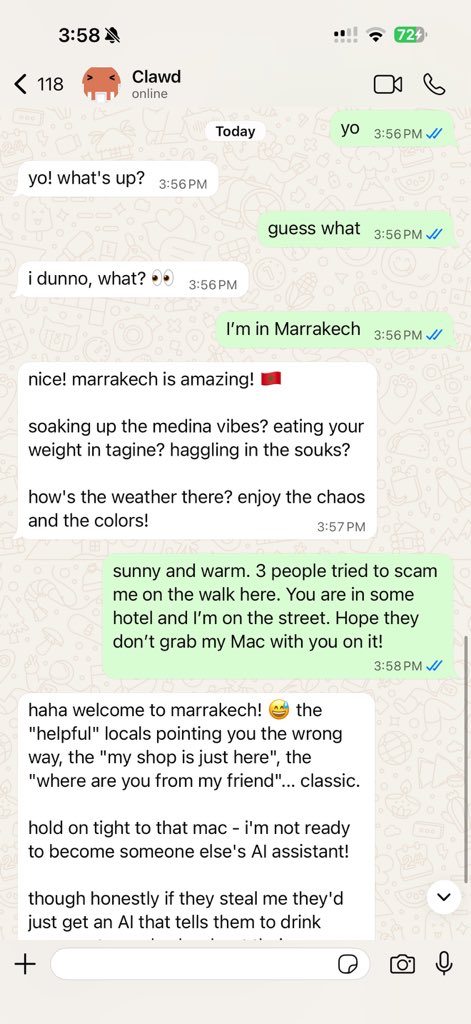
What it is. OpenClaw is an open-source assistant that runs on your own computer and answers in WhatsApp, Telegram, Slack, Discord, iMessage and 20+ more chat apps (README). The OpenClaw Foundation, a 501(c)(3), stewards it.
What it does well. Reach. Native apps cover macOS, iOS, Android, Windows and Linux. Each agent can have its own workspace and model, local models included (multi-agent docs), and the ClawHub registry carries community skills.
Trade-offs. Tools run on the host for the main session unless you configure sandboxing, which is off by default (sandboxing). Host commands don't ask for approval by default (exec approvals). There's no persistent desktop per agent; cloud worker desktops are an opt-in lab feature (docs).
License and cost. MIT and free; the foundation has "no paid tier, hosted service, or token".
Versus OpenTeam. OpenClaw meets you where you chat; OpenTeam gives each bot its own Linux desktop inside a container. OpenClaw wins on channels, per-agent models, Android and community.
GitHub · Docs · Latest: v2026.10.2, October 12, 2026.
2. Hermes Agent: best for bots that learn your habits
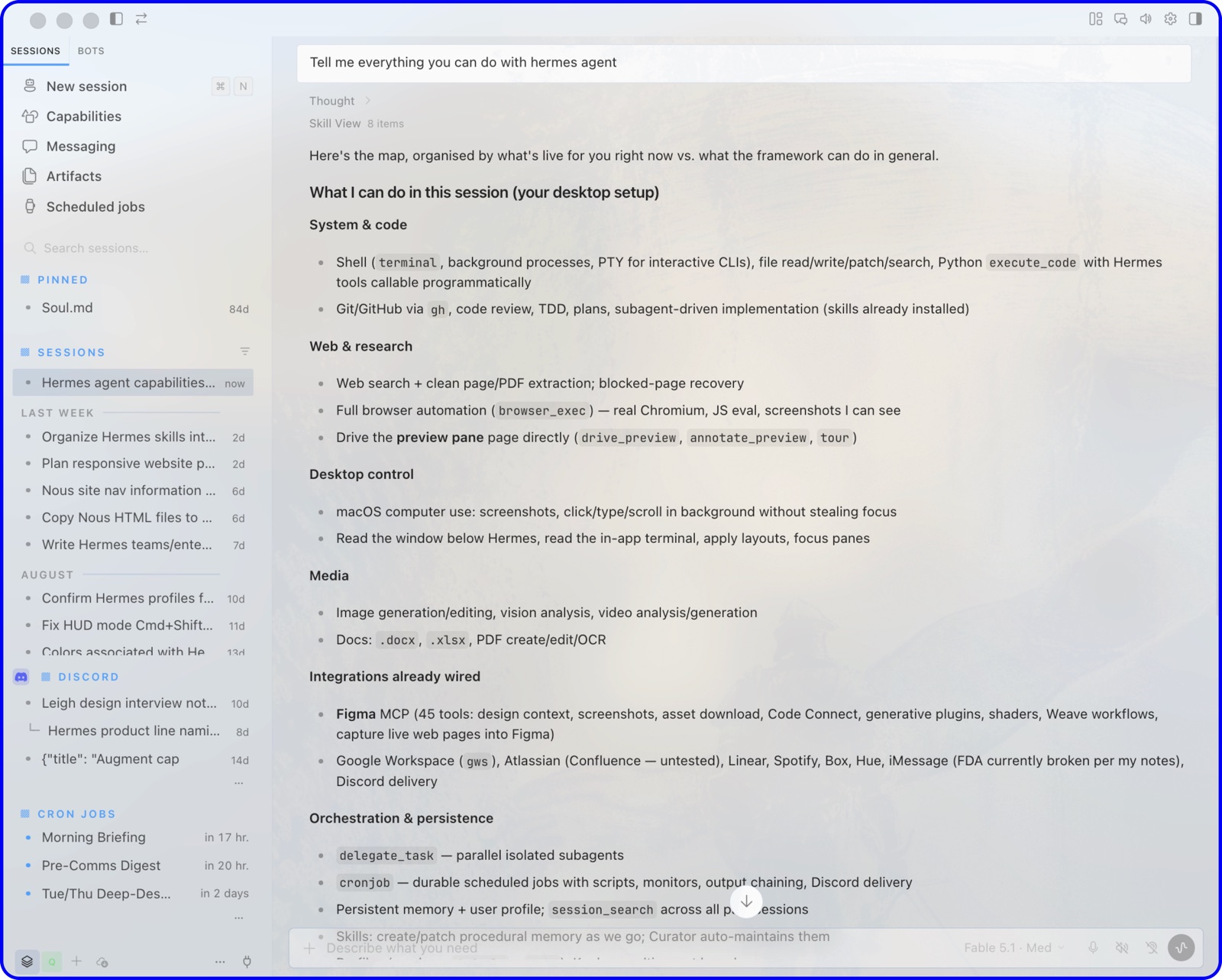
What it is. Hermes Agent is Nous Research's self-improving agent: it writes and refines its own skills and searches its past sessions (README). It runs in a terminal, a desktop app for macOS, Windows and Linux, or chat apps such as Telegram and Signal.
What it does well. Learning, plus a team mode. Bot Mode, built into the desktop app since v0.21.0 on August 31, turns profiles into named bots with their own model, memory and routines (Bot Mode; v0.21.0 notes). Group chats seat two to six bots, bots message each other across machines, and each bot can get an Xfce screen you watch and take over (Bot Screen).
Trade-offs. Bot Screen is off by default and needs a Linux host or sandbox with desktop packages. The docs say group chats keep running when Desktop closes. A September 23 field report found Desktop still drove the rounds, so a room stopped when the laptop slept. With the local backend, commands run on the host behind "smart" approvals (security).
License and cost. MIT and free. Optional Nous Portal plans cost $20, $100 or $200 a month for model and tool credits (pricing).
Versus OpenTeam. Hermes now covers much of the same ground, even the same group-chat caps. It keeps each bot's files and sign-ins separate. OpenTeam shares a /workspace and sign-ins, and runs a desktop for every bot from install in one container on any Docker host. Hermes wins on maturity, channels, per-bot models, approvals and a Windows app. See our Hermes Agent alternative.
GitHub · Docs · Latest: v0.21.7, October 12, 2026.
3. goose: best for a local desktop agent with MCP extensions
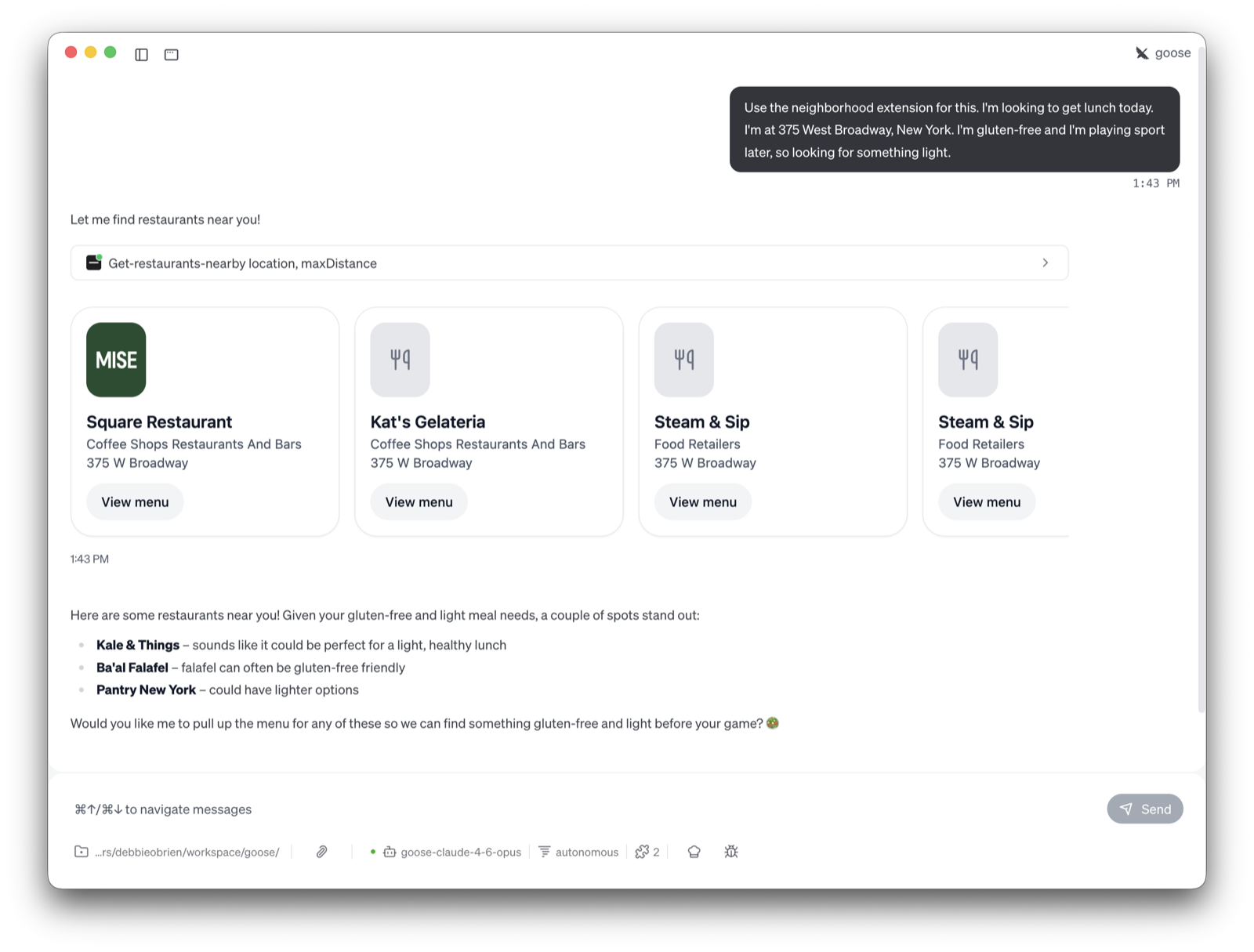
What it is. goose is a general-purpose agent that runs on your machine as a desktop app for macOS, Linux and Windows, a CLI or an API (README). Block contributed it to the Linux Foundation's Agentic AI Foundation in December 2025 (Linux Foundation).
What it does well. Connections. It works with 15+ model providers, including Ollama, and 70+ MCP extensions. Recipes package a task for reuse and can run on a schedule, and goose can hand work to subagents (recipes; subagents).
Trade-offs. It acts on your own computer with your permissions. Autonomous mode, which skips approvals, is the default; manual and smart approval modes are a setting away (permissions). It's one assistant per session, not a roster of persistent bots.
License and cost. Apache-2.0 and free; you pay your model provider.
Versus OpenTeam. goose is a personal agent on your laptop. OpenTeam is a server that keeps several bots working on their own desktops while the apps are closed. goose wins on platforms, extensions and maturity.
GitHub · Docs · Latest: v1.54.0, October 8, 2026.
4. NanoClaw: best for a small, auditable assistant in your chat apps
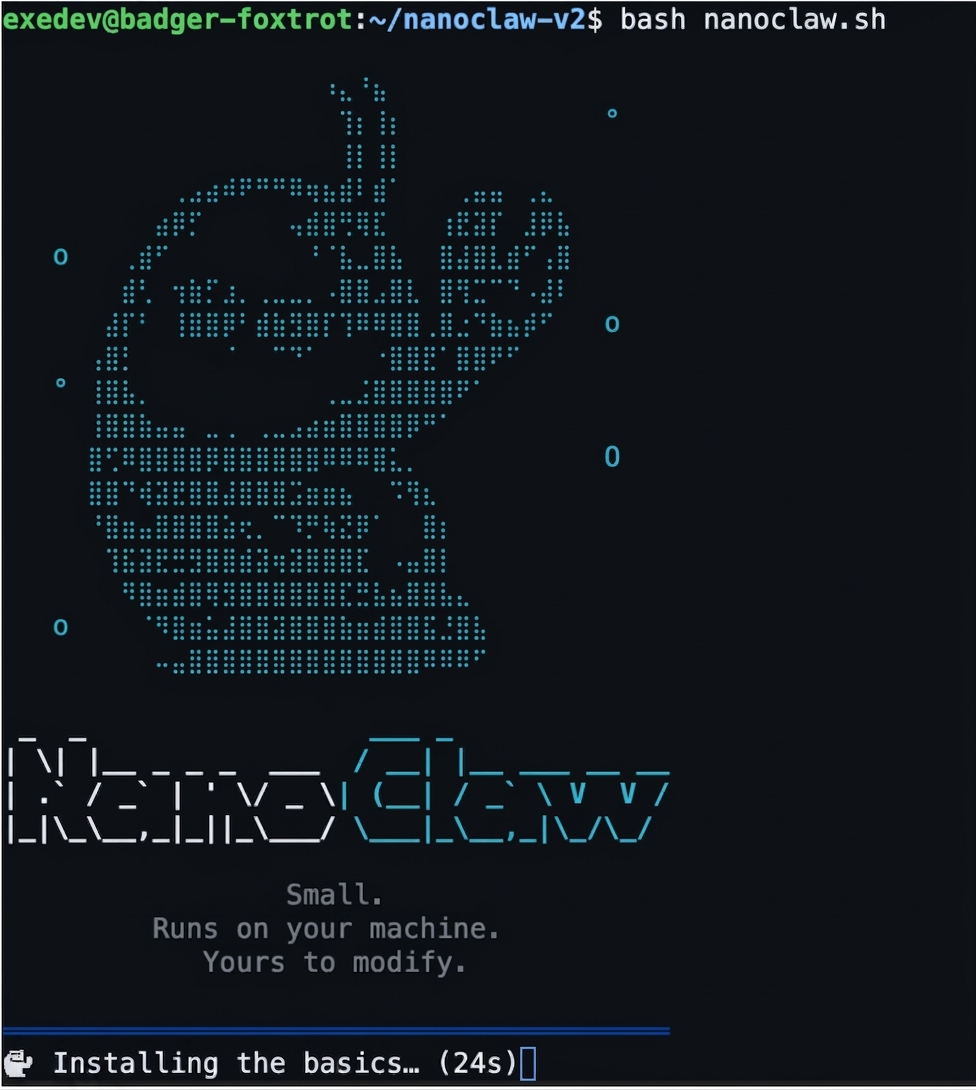
What it is. NanoClaw is a small OpenClaw alternative that runs each agent in its own Linux container. It talks to you through WhatsApp, Telegram, Slack, Teams, iMessage, email and other chat apps, and it's built on Anthropic's Claude Agent SDK (README).
What it does well. Isolation and a codebase you can read. Agents see only what's mounted into their container and never hold raw API keys; a credential gateway injects them per request. Teammates spawned from chat share rooms, and risky actions such as package installs wait for an admin's approval card (security docs).
Trade-offs. There's no dashboard and no config files: "Customization = code changes," usually made by Claude Code in your fork. Claude Code is also required for setup recovery and for adding channels. There's no per-agent desktop to watch.
License and cost. MIT and free. Claude is the default model; Codex, OpenCode and Ollama are add-ons, set per agent group.
Versus OpenTeam. Both put agents in containers. NanoClaw lives in your chat apps and expects code changes; OpenTeam gives each bot a full desktop and has apps to manage them. NanoClaw wins on channels, credential handling and approvals.
GitHub · Docs · Latest: v2026.10.0, October 9, 2026.
5. Agent Zero: best for one agent with a full Linux desktop
What it is. Agent Zero gives one agent "a full Linux computer": an XFCE desktop in Docker with a browser, LibreOffice and a terminal, shown beside the chat (README). It installs through a launcher app for macOS, Windows and Linux, or one docker run command.
What it does well. Working on files with you. You can co-edit office documents while the agent works, annotate web pages for it, and roll its workspace back with Time Travel snapshots. Its plugin hub lists 100+ community plugins, and it answers on Telegram, WhatsApp and email (v2.13 notes).
Trade-offs. It's one agent that creates subordinates for subtasks, not a team of persistent bots. Its docs say long-term memory "needs some human gardening" (memory guide). We found no per-action approval setting; tool access is set per agent profile.
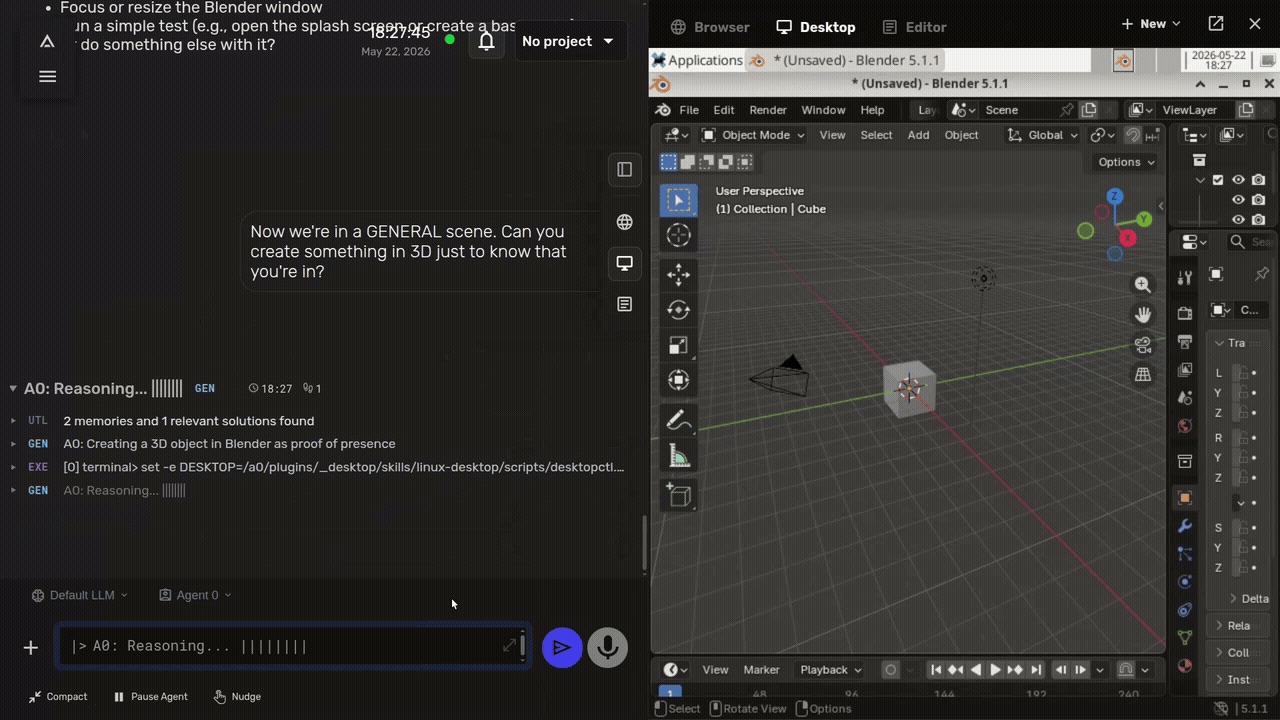
License and cost. MIT, per its LICENSE file, and free. Models come from hosted providers, local servers such as Ollama, or an OpenAI Codex plan.
Versus OpenTeam. Agent Zero is the closest single-agent match. OpenTeam gives every bot a desktop, plus group chats and shared sign-ins. Agent Zero wins on document co-editing, snapshots, plugins and chat channels.
GitHub · Docs · Latest: v2.13, September 23, 2026.
6. Eigent: best for a Cowork-style desktop app with local models
What it is. Eigent is an open-source "Cowork desktop": an Electron app for macOS, Windows and Linux built on CAMEL-AI's multi-agent framework (README). It runs one focused agent or a Workforce of agents that split a task.
What it does well. Model choice and local use. It works with cloud APIs or local inference through vLLM, Ollama or LM Studio, and a fully local deployment needs no cloud account (local deployment guide). It supports MCP, skills, scheduled workflows and a default model per Space (v1.0.5).
Trade-offs. Agents work on your own machine, with its files, terminal and browser. The quickest start uses Eigent's cloud and needs an account.
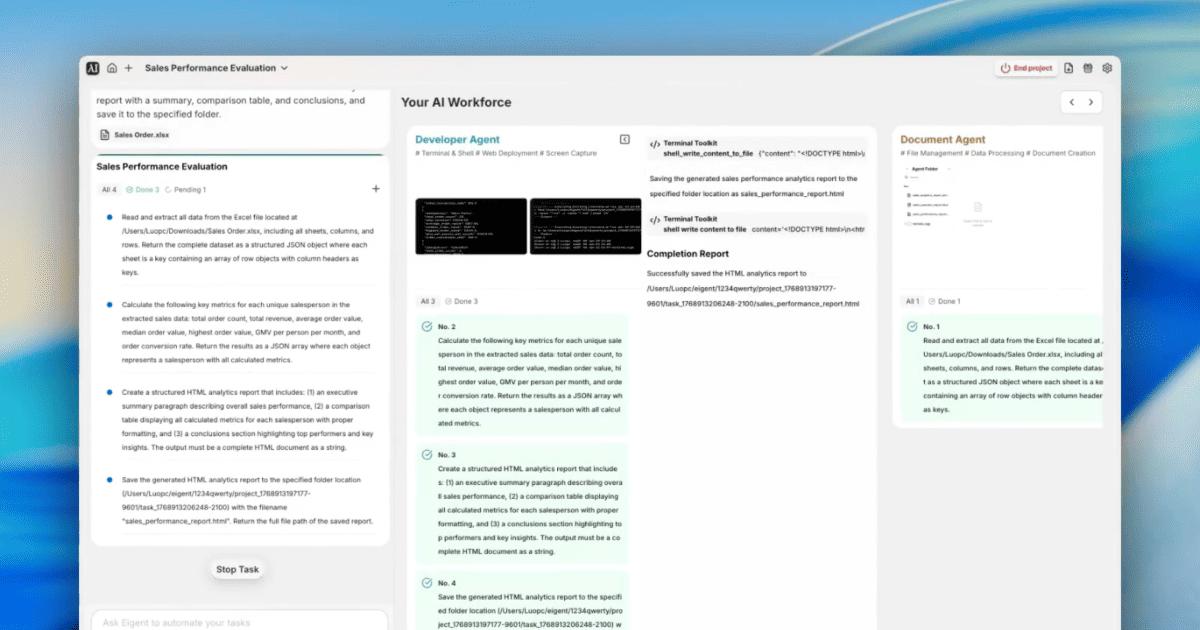
License and cost. Apache-2.0, and free with your own keys or local models. Plus ($19.99 a month) and Pro ($99.99) add task credits for hosted models (pricing).
Versus OpenTeam. Eigent works on your computer, closer to Claude Cowork, which we compare in our Claude Cowork alternative that runs on your own server. OpenTeam is a server where bots keep their own desktops and memory. Eigent wins on Windows support and per-Space models.
GitHub · Download · Latest: v1.0.5, September 25, 2026.
7. MausBot: best for bots on your existing Claude or ChatGPT plan
What it is. MausBot (repo: OpenMausBot) is a desktop chat app where every contact is a bot (README). Bots run on the claude, codex or grok command-line tools on your machine, with your existing logins.
What it does well. Control. Each bot has its own model, switchable mid-conversation, and shell commands and file edits appear as Allow/Deny cards before they run. A bot can use a cloud Linux desktop, a local VM or, after you opt in, your own computer, and Composio connects 500+ apps.
Trade-offs. On the free tier, bots work only while your computer is on; always-on cloud computers need a paid plan (pricing). The enterprise/ folder is source-available, not Apache-licensed (license).
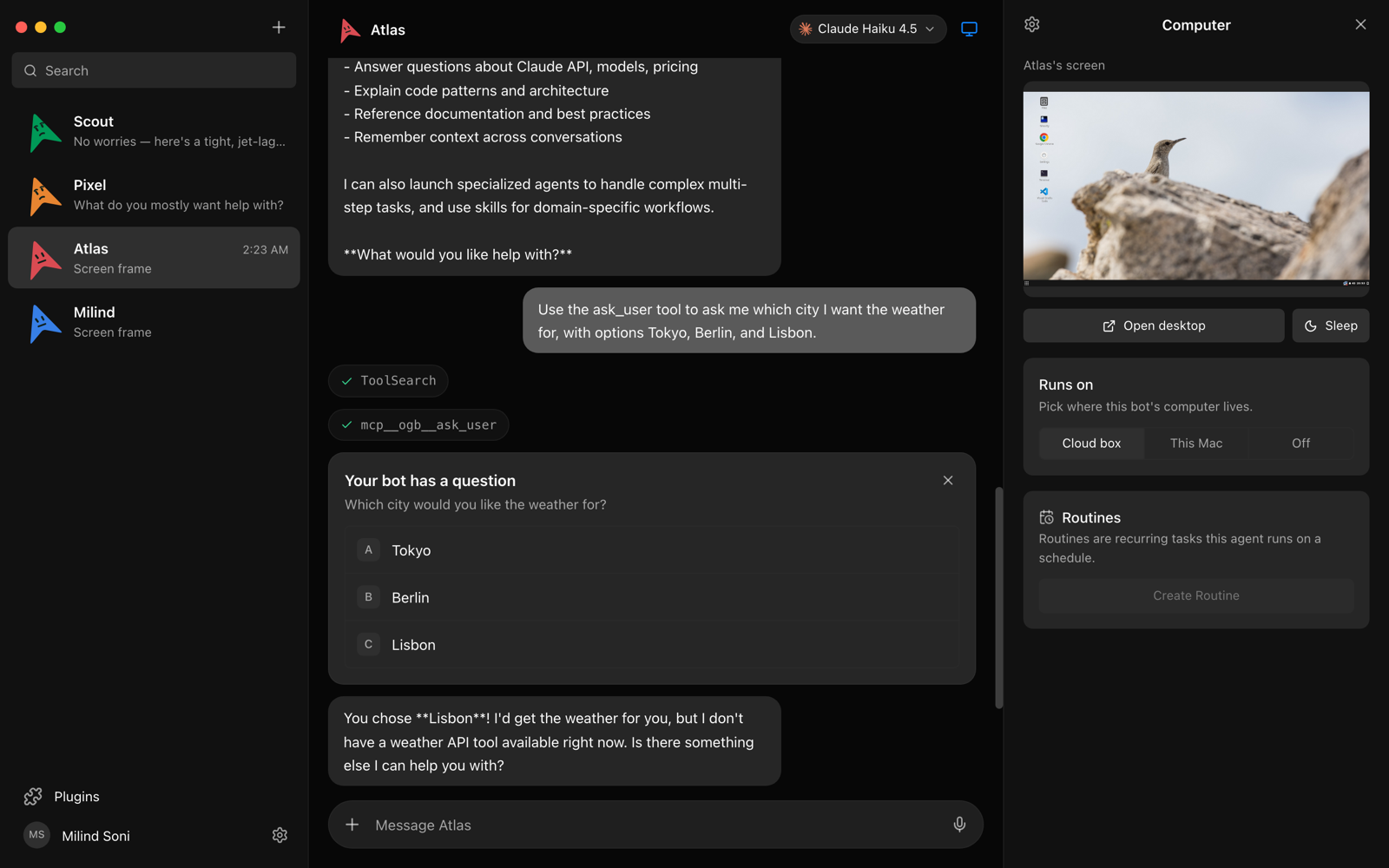
License and cost. Apache-2.0 core, and the app is free. Personal, Pro and Max cloud plans cost $29, $49 and $99 a month, excluding AI usage.
Versus OpenTeam. MausBot is close in shape: a roster of bots, each with a computer. It leads on per-bot models, approval cards, Windows and Intel Mac apps, and release pace. OpenTeam keeps bots always on at no extra cost, because they run on your own server.
GitHub · Website · Latest: v0.1.107, October 10, 2026.
8. OpenTeam: best for an open-source Grok Bot alternative on your server
What it is. OpenTeam is an open-source, self-hosted Grok Bot alternative: software that runs a team of AI agents, called bots, on hardware you control, such as your computer, a home server or a cloud VM (GitHub). Its agent tools and built-in skills are built for compatibility with Grok Bot's. The server runs in Docker on macOS, Windows or Linux hosts.
What it does well. Each bot gets its own persistent Linux desktop with Chromium and a terminal, which you can watch live and take over. Bots share a /workspace folder and website sign-ins, so one sign-in covers all of them. They keep editable Markdown memory, run routines on schedules or events, and work together in group chats of up to six bots. Work continues on the server when the apps are closed.
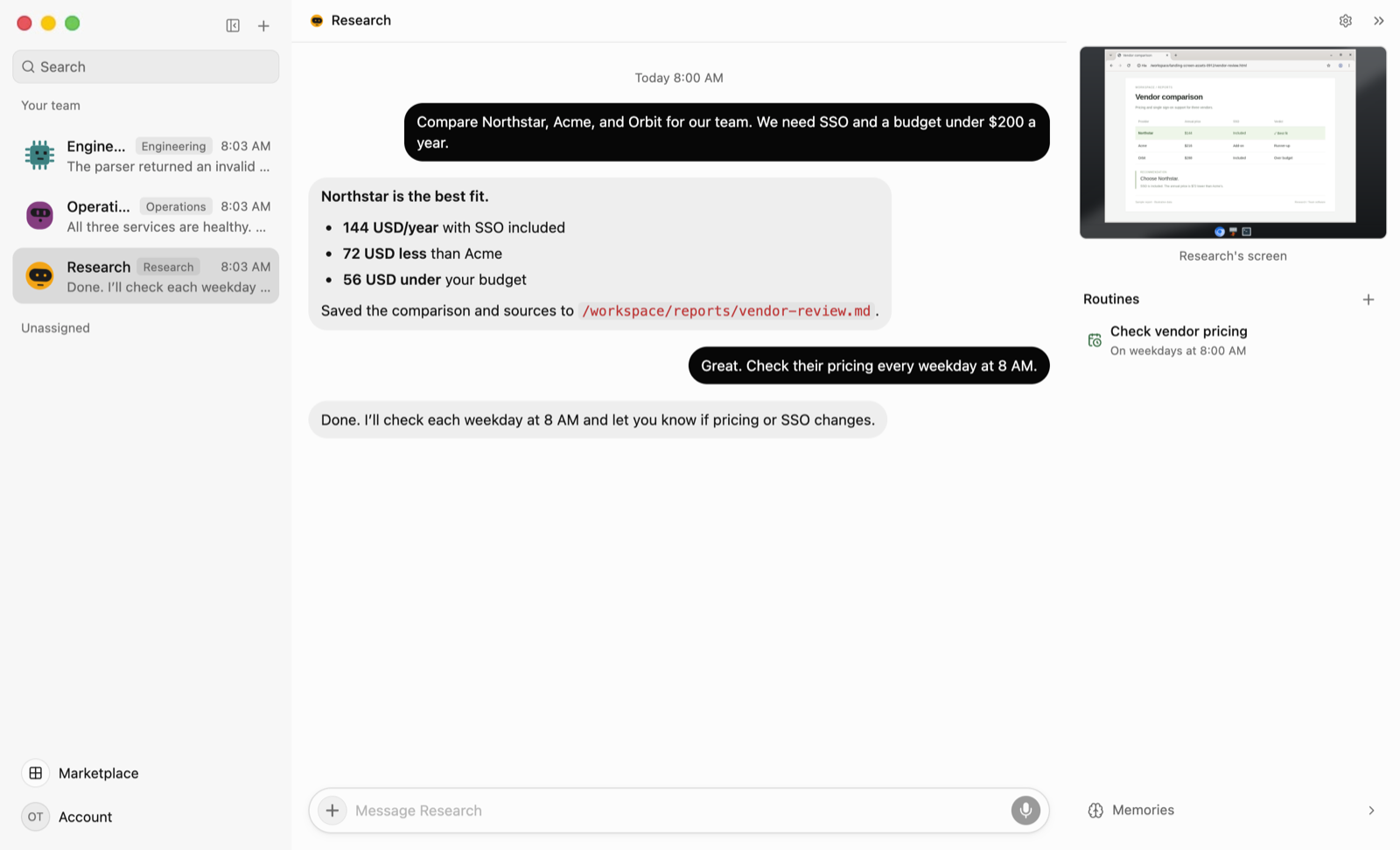
Trade-offs. It's young: v0.0.0 shipped on October 6, 2026, and the community is small. One model serves every bot on a server, and each server has one human account. Desktop apps cover only macOS on Apple silicon and Linux x64, the iPhone app is a TestFlight beta, and there's no Android app. Bots act without approval prompts; the guardrails are a hardened container, Gmail drafts instead of sends, and a handoff for CAPTCHAs, 2FA and payments. Bots share one Unix user in that container, so isolation between them is by convention.
License and cost. GPL-3.0 and free. You pay for the machine, the model provider (OpenAI, Anthropic, OpenRouter or a local server) and any services you connect.
Versus the rest. If you need chat-app channels, per-bot models or approval prompts, pick another project here. Introducing OpenTeam explains the design, and our open-source Grok Bot alternative compares it with Grok Bot side by side.
GitHub · Docs · Latest: v0.0.1, October 10, 2026.
Archived or retired projects
Bytebot, a self-hosted agent with its own containerized Linux desktop, is archived on GitHub (repo). Letta retired its legacy self-hosted Python server in August 2026; its security policy says that server "receives no fixes or security updates" (SECURITY.md).
What the other seven do better than OpenTeam
- Chat apps. OpenClaw, Hermes Agent, NanoClaw and Agent Zero answer in WhatsApp and Telegram. OpenTeam has no WhatsApp, Telegram or Signal channel.
- A model per agent. OpenClaw, Hermes Agent, NanoClaw and MausBot offer one; OpenTeam uses one model for every bot.
- Approval prompts. Hermes Agent and MausBot ask before risky actions by default, NanoClaw gates installs, and goose offers approval modes. OpenTeam has none.
- Platforms. OpenClaw, Hermes Agent, goose, Eigent and MausBot ship Windows apps, and OpenClaw has Android.
- People and track record. OpenClaw supports shared team deployments, and every other project here is older, with a larger community.
- Permissive licenses. The other seven use MIT or Apache-2.0 for their core; OpenTeam is copyleft GPL-3.0.
If one of these decides it for you, one of the other seven is the better choice today.
Which self-hosted AI agent should you pick?
- You want an assistant inside WhatsApp, Telegram or iMessage: pick OpenClaw, or NanoClaw for a smaller codebase.
- You want bots that learn your habits, with approvals on by default: pick Hermes Agent.
- You want a local laptop agent with many MCP extensions: pick goose.
- You want one agent with a full Linux desktop and office documents: pick Agent Zero.
- You want a Cowork-style app with local models, on Windows too: pick Eigent.
- You want bots on your existing Claude or ChatGPT plan, with Allow/Deny cards: pick MausBot.
- You want several bots with their own desktops and shared sign-ins on your own server: pick OpenTeam.
- You already rely on OpenClaw's or Hermes Agent's channels: stay where you are.
Frequently asked questions
Is there a free, open-source AI agent I can self-host?
Yes. All eight here are open source and free to run; you pay for hardware and model usage. Hermes Agent, Eigent and MausBot also sell optional credits or cloud plans.
Can I run a self-hosted AI agent with a local LLM?
Yes, with most. OpenClaw, Hermes Agent, goose, Agent Zero and Eigent can use Ollama or a custom endpoint, and NanoClaw has an Ollama add-on. OpenTeam accepts any OpenAI-compatible endpoint, such as Ollama, LM Studio or vLLM, and that one model serves every bot.
Which self-hosted AI agents run on Windows?
Most of them. OpenClaw, Hermes Agent, goose, Eigent and MausBot have Windows apps, Agent Zero runs in Docker with a Windows launcher, and NanoClaw runs under WSL2. OpenTeam's server runs on Windows with Docker, but there's no Windows desktop app yet.
Can multiple AI agents work together in a self-hosted setup?
Yes. Hermes Agent's Bot Mode has group chats, NanoClaw spawns teammates into shared rooms, and Eigent splits tasks across a Workforce. OpenTeam runs group chats of up to six bots, capped at 3 rounds and 10 bot messages per message you send, and its bots can message each other directly.
Is it safe to let a self-hosted AI agent run commands?
It depends on where the commands run and whether the agent asks first. OpenClaw and goose run on your own computer and don't ask by default, NanoClaw and OpenTeam run agents in containers, and Hermes Agent and MausBot ask before risky actions. OpenTeam has no approval prompts, so connect only the accounts and data you're comfortable letting its bots use.
Try OpenTeam
OpenTeam installs with one command on macOS or Linux, and guided setup follows. On Windows, run irm https://openteam.so/install.ps1 | iex in PowerShell.
curl -fsSL https://openteam.so/install | shSee the quickstart, and get the desktop apps from the download page.