Grok Bot vs Meta Muse vs OpenAI dots, plus an open-source alternative
Grok Bot, Meta Muse and OpenAI dots compared on price, regions, models, privacy and teamwork, plus OpenTeam, an open-source Grok Bot alternative.
On this page
Grok Bot is for several bots that coordinate, from $30 a month with Cursor Premium. Meta Muse is for a free, phone-first agent, only in the US and Canada. OpenAI dots is for ChatGPT Pro and Business Premium users who want one always-on agent. OpenTeam is the open-source Grok Bot alternative for running self-hosted AI agents on your own hardware, at the cost of more setup.
We build OpenTeam, an open-source (GPL-3.0) team of AI agents, so weigh our view accordingly. All three hosted products give an agent its own cloud computer that keeps working after you close the laptop. Every claim links to the vendor's own pages or to dated press, and we haven't run any of the three.
Updated October 13, 2026: Cursor replaced its plans on October 13. Grok Bot now comes with Cursor Premium ($30 a month) and higher plans, or Teams; the new $8 Plus plan doesn't include it (Cursor). The Grok Bot prices below reflect the change.
Grok Bot vs Meta Muse vs OpenAI dots at a glance
Facts as of October 9, 2026 (Grok Bot prices as of October 13), from each vendor's docs, plan pages and launch posts. "Not published" means the vendor hasn't said.
| Grok Bot | Meta Muse | OpenAI dots | OpenTeam | |
|---|---|---|---|---|
| Price and plan | Cursor Premium ($30/mo) and up, Cursor Teams, or a linked SuperGrok or X Premium+ plan | Free with a limit; Power $20/mo; Maximum $100/mo | ChatGPT Pro (from $100/mo) or a Business Premium seat | Free (GPL-3.0); you pay for hardware and model usage |
| Where you can use it | Not published; its computers run in the US | US and Canada | Pro: outside the EEA, UK and Switzerland. Business Premium: rolling out worldwide | Wherever your model provider works |
| Model | Picked per request by Cursor; no picker | Muse Spark | GPT-6 Astra | One per server: OpenAI, Anthropic, OpenRouter or a compatible endpoint, including local |
| Where the agent runs | One cloud computer per user, shared by your bots | A cloud Linux VM per person | Its own cloud computer; optional link to your laptop | Your machine: a Linux desktop per bot |
| Sign-ins | Shared by your bots; you take over for passwords | Credential store the agent can't read | Private form; credentials skip the chat | Shared by all bots; password forms the model can't read |
| Approvals | Auto-review with "Ask first" rules | Sentinel gates actions and traffic | Auto-review plus Custom Rules | None per action; Gmail drafts; handoffs for CAPTCHA, 2FA, payment |
| Multiple agents | Many bots; group chats of 2–6; bot-to-bot messages | One Muse, with subagents | One dot for now, with background agents | Many bots; group chats of up to 6; bot-to-bot messages |
| Connected apps | Plugins (count not published) plus any website | Dozens of partners plus Shopify | 4,000+ via plugins | Bundled plugins plus custom MCP servers |
| Routines | Schedules and events | Reminders and recurring tasks | Recurring tasks and events | Schedules and events |
| Platforms | macOS, Windows, Linux, iOS, Android | iOS, Android, web, Mac, WhatsApp | ChatGPT web, desktop, mobile; Slack; Teams | macOS (Apple silicon), Linux x64; iPhone beta |
| Training on your data | Follows Cursor privacy settings | On by default, opt-out | Personal: your setting. Business: off by default | None by OpenTeam; provider terms apply |
Grok Bot
Grok Bot is xAI's app for "always-on agents" that "have their own computer," launched in beta on August 11, 2026 (xAI).
- Price and plan: Included with Cursor Premium ($30 a month), Super, Ultra and Teams, but not the $8 Plus plan (Cursor), or with a linked SuperGrok, SuperGrok Plus, SuperGrok Heavy or X Premium+ subscription (Cursor Help). Until October 13 it came with Cursor Pro at $20. Plans include weekly usage, and the trial is a usage credit. Pages quoting a $200 or $300 minimum don't match Cursor's plans page.
- Where you can use it: Not published. The bots' computers "run in the United States today" (xAI).
- Model: Cursor picks a model per request, from xAI or third-party providers, with no model picker (Cursor Help).
- Where the agent runs: One persistent cloud computer per user, a Firecracker microVM. All your bots share it, each on its own screen, and xAI says separate bots aren't a security boundary (xAI).
- Sign-ins: Browser sessions persist across bots. For passwords, two-factor codes, CAPTCHAs and payments, the bot hands you its computer (xAI).
- Approvals and safety: Auto-review checks tool calls and computer actions before they run, guided by your "Ask first" and "Allow automatically" rules (xAI). Enterprise adds network allowlists and action recording.
- Multiple agents: Many bots in parallel, group chats of two to six, and direct bot-to-bot messages (xAI). Team Bots give a team one shared bot in the app or Slack.
- Connected apps: Plugins such as Gmail, Notion and Slack, plus the browser for everything else (Cursor Help).
- Routines: Schedules or events, up to 50 per bot, at least five minutes apart (xAI).
- Platforms: Desktop apps for macOS, Windows and Linux, plus iPhone, iPad and Android (xAI).
- Training on your data: Follows your Cursor privacy settings. Grok Bot needs cloud storage, so Cursor's Legacy Privacy Mode isn't supported.
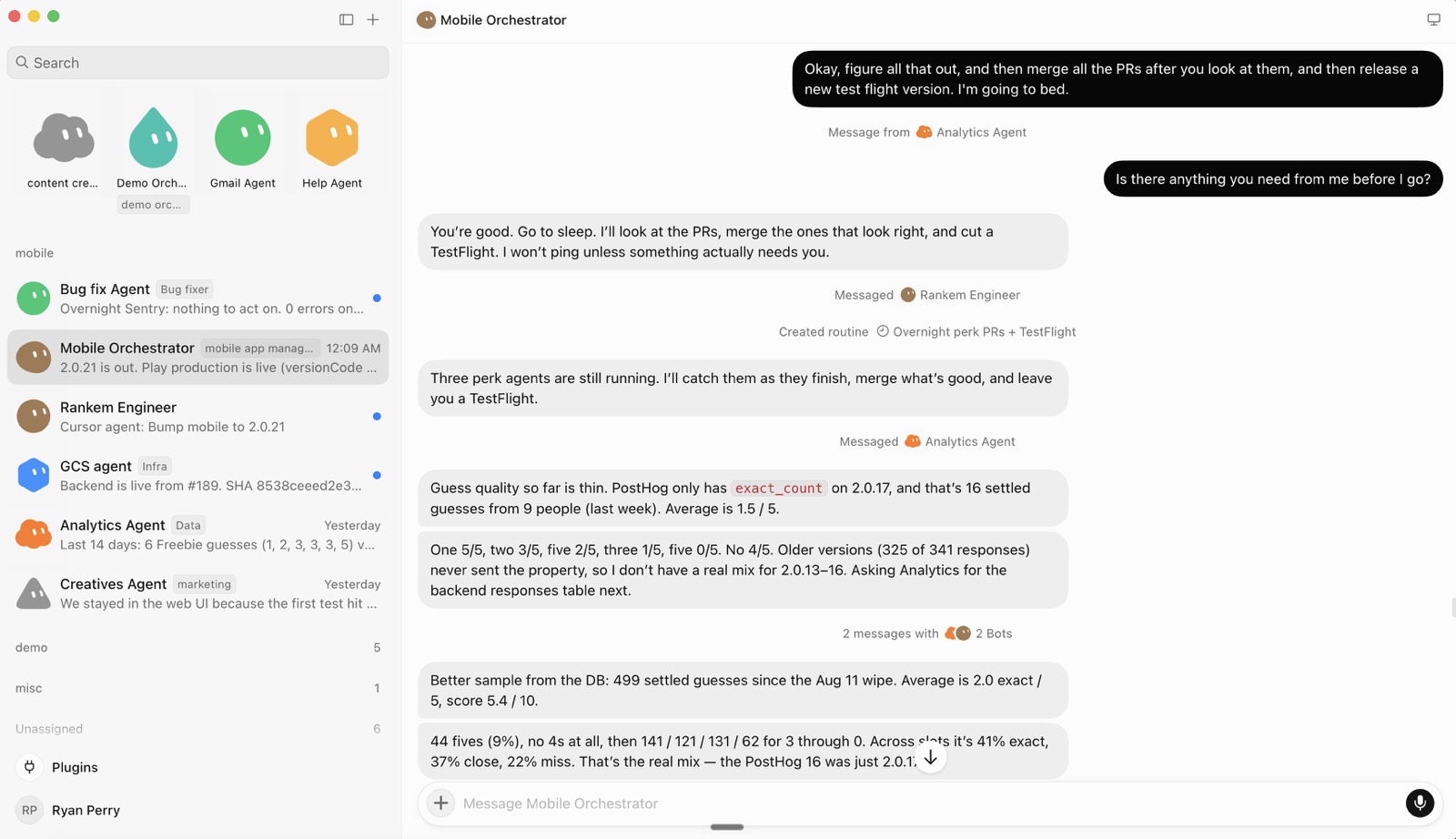
Meta Muse
Meta launched Muse on September 8, 2026 as a personal agent that lives on its own cloud computer, the Muse Secure VM (Meta).
- Price and plan: Free with a usage limit Meta doesn't quantify. Power is $20 a month for 500 million Muse tokens a week; Maximum is $100 for 3 billion (Meta Help Center).
- Where you can use it: The US and Canada (Meta). Meta hasn't announced other countries.
- Model: Muse Spark, Meta's own model.
- Where the agent runs: A dedicated, persistent Linux VM per person, with a browser you can watch and take over. Your files, memory and credentials live there (Meta). A "Confidential VM" with user-held keys is promised for later this year.
- Sign-ins: Credentials sit in a separate store and are inserted at the network edge, so the agent never sees real passwords or tokens.
- Approvals and safety: A separate agent called Sentinel must approve every connector action and all network traffic. Muse asks before sending email or buying, and payments use one-time card numbers from Link by Stripe.
- Multiple agents: One Muse per person, which runs subagents. Meta hasn't described group chats of agents.
- Connected apps: "Dozens of partners" plus the Shopify catalog at launch, with Walmart, Best Buy, Notion and GitHub announced at Connect (Meta).
- Routines: One-time reminders and recurring tasks you set by asking (Meta Help Center). Event triggers: not published.
- Platforms: iOS, Android, the web, WhatsApp and a Mac app (Muse).
- Training on your data: On by default. Meta strips key personal details first, and a settings switch opts you out. Muse data isn't shared with Meta's ad systems.
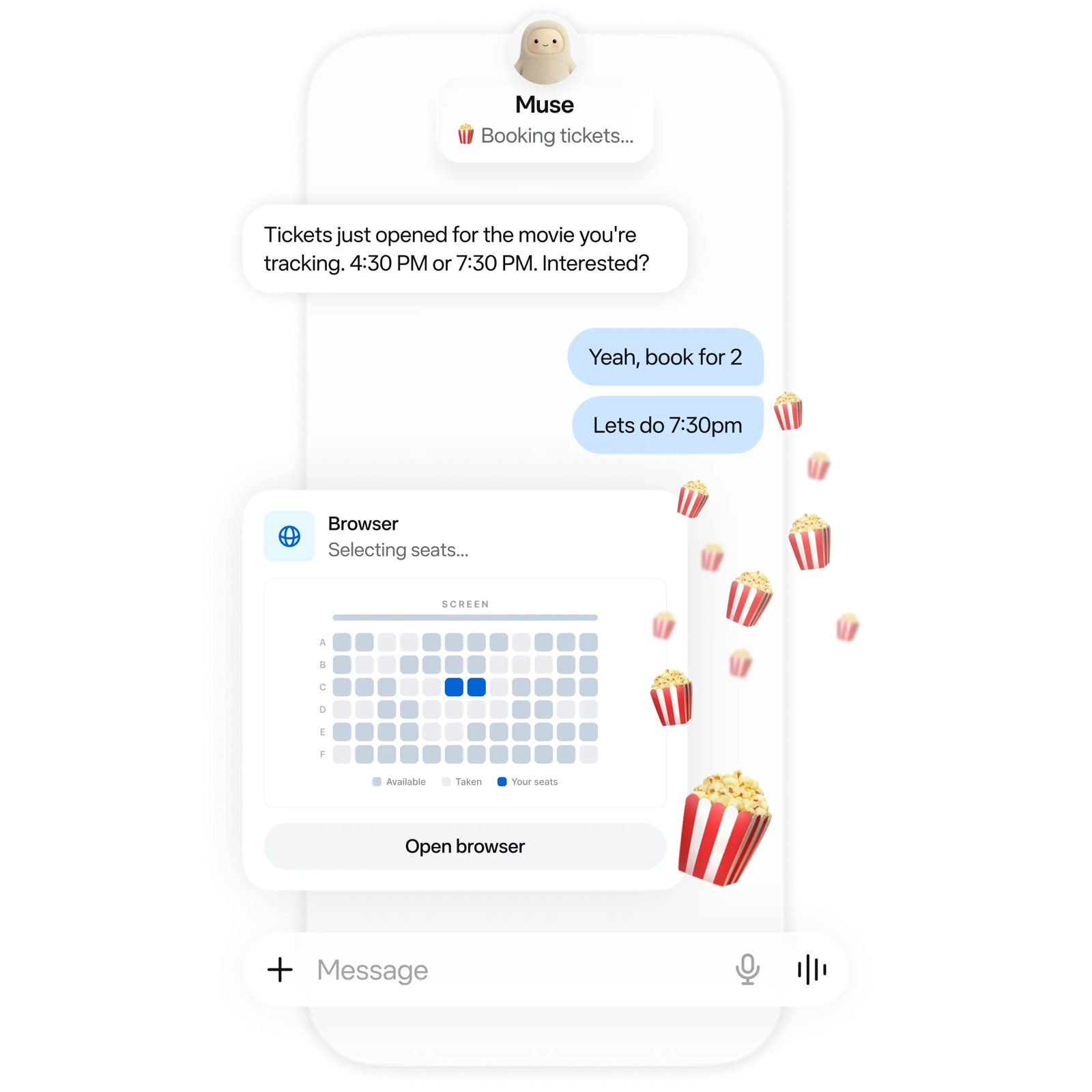
OpenAI dots
OpenAI launched dots on September 29, 2026: "always-on agents" in ChatGPT, powered by GPT-6 Astra, each with "their own cloud computer" (OpenAI).
- Price and plan: Your first dot comes with ChatGPT Pro, at $100, $200 or $500 a month (OpenAI), or a Business Premium seat at $125 per user a month, or $100 billed annually (The Decoder). Free, Go and Plus don't include dots (ChatGPT). Deeper work draws on a plan allowance, with extended limits in the first month. Extra dots are planned at prices not yet announced.
- Where you can use it: Personal Pro plans serve users over 18 outside the EEA, the UK and Switzerland. Business Premium and Enterprise are rolling out worldwide (OpenAI).
- Model: GPT-6 Astra.
- Where the agent runs: Its own cloud computer and browser, which keep working while your devices are off. You can connect one personal computer too (OpenAI).
- Sign-ins: A private form sends credentials to the cloud browser, outside the conversation. Reusing a saved login needs your confirmation.
- Approvals and safety: Auto-review checks actions that could affect your accounts or share information. Custom Rules let you allow, require approval for, block or hand off an action, and changing a password always stays with you (OpenAI).
- Multiple agents: One dot for now, which splits work among background agents. OpenAI says it envisions "teams of dots" over time.
- Connected apps: More than 4,000 apps through OpenAI's plugins.
- Routines: Recurring tasks on a saved schedule, and event monitoring where a connected service supports it (OpenAI).
- Platforms: ChatGPT on the web, desktop and mobile apps (not mobile web), plus Slack and Microsoft Teams.
- Training on your data: Business, Enterprise and Edu content isn't used by default. On personal plans, your ChatGPT data controls decide.
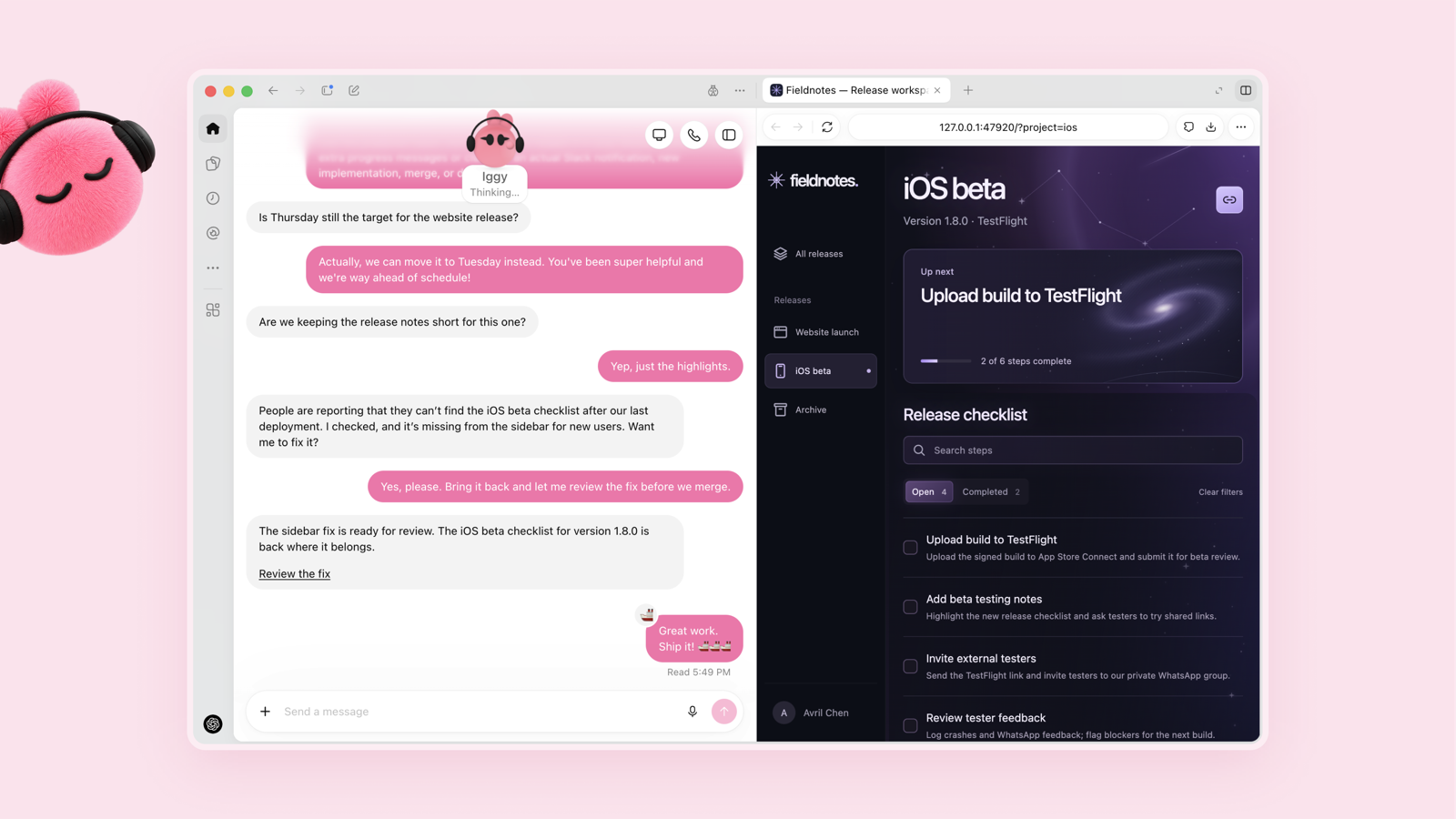
What all three have in common
- The vendor runs the computer. Your agent's files, browser and website sessions sit on a machine the vendor operates.
- The vendor picks the model. None lets you choose another model or run a local one.
- Usage is metered in the vendor's units. Grok Bot has weekly usage, Muse has tokens, and dots has an "allowance for deeper work" whose post-launch terms aren't published.
- Websites can still say no. Amazon blocked Muse from its store in September, saying apps that buy on customers' behalf "should operate openly" (The Star, via Bloomberg). xAI and OpenAI both warn that sites may block their cloud browsers. The same goes for self-hosted agents.
The open-source Grok Bot alternative
OpenTeam is an open-source, self-hosted alternative to all three, and closest to Grok Bot: bots with their own computers, group chats, bot-to-bot messages and routines, with agent tools and built-in skills built for compatibility with Grok Bot's. The difference is that it runs on hardware you control. It's a young project: we introduced OpenTeam on October 6, and its community is small. Here's what changes:
- Where it runs. The server runs in Docker on a Mac, Windows or Linux machine: your computer, a home server or a cloud VM. Each bot gets its own persistent Linux desktop with Chromium and a terminal, which you can watch live and take over.
- Which model. One model serves every bot on a server, from an OpenAI, Anthropic or OpenRouter key or any OpenAI-compatible endpoint, including Ollama, LM Studio and vLLM (models).
- Where your data lives. Conversations, files, memory and website sign-ins stay on your server. Your model provider and connected services still see what bots send them (privacy); a local model keeps model requests at home.
- Where you can use it. Anywhere your model provider works.
- What it costs. The software is free; you pay for the machine and the model usage.
- Teamwork. Group chats of up to six bots take turns, with hard limits of 3 rounds and 10 bot messages per message you send. Bots also message each other directly and delegate to subagents.
- Routines run on the server on a schedule or when an event arrives, so the apps can be closed. If the server is a laptop that sleeps, the bots stop until it wakes.
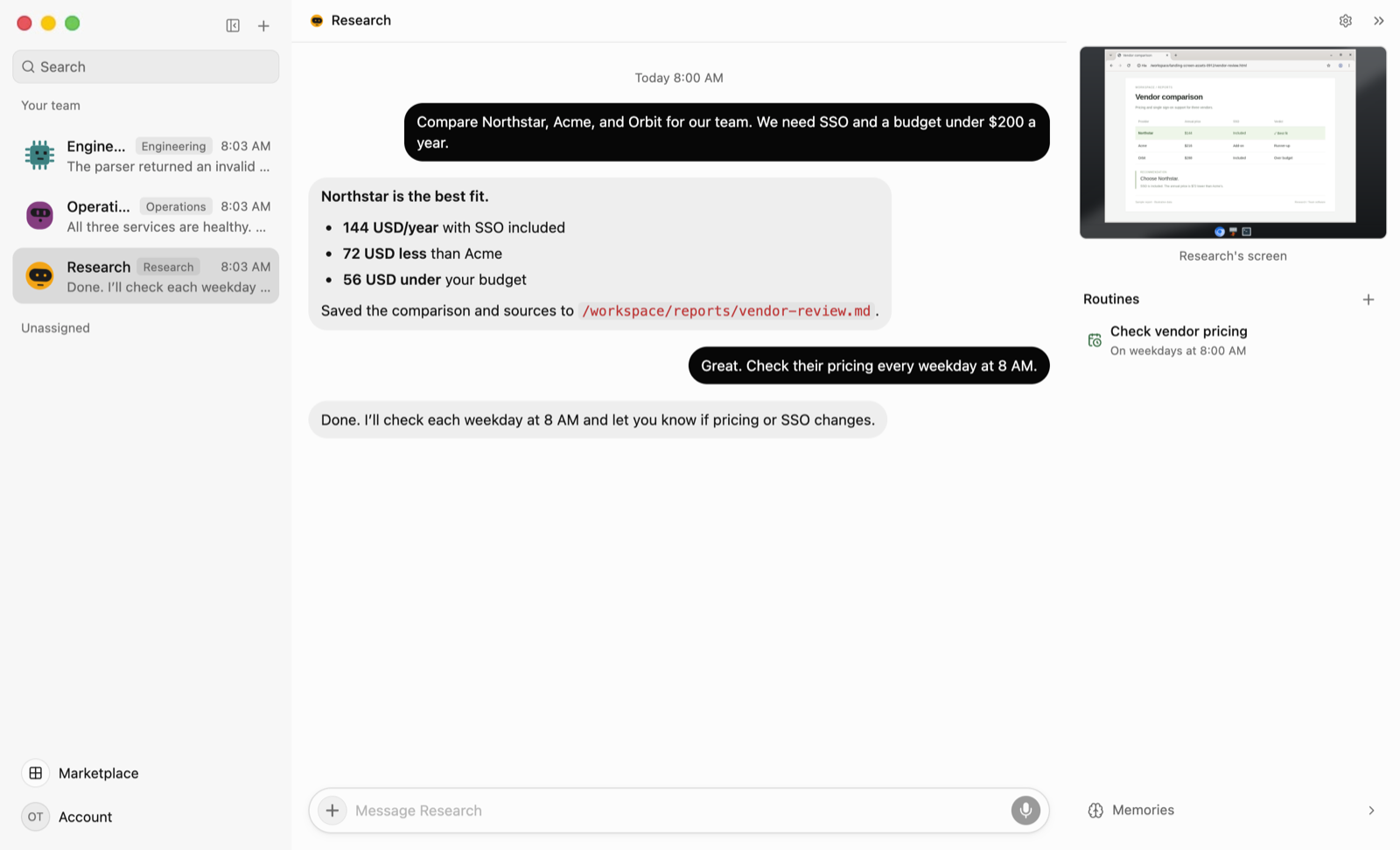
What Grok Bot, Muse and dots do better
- Setup. You install an app and sign in. OpenTeam needs Docker, about 8 GB of RAM, a machine that stays on, and a model key or local model server.
- Approvals. All three check consequential actions before they run. OpenTeam has no per-action approval step: bots act directly. Its guardrails are the container, Gmail drafts instead of sends, handoffs for CAPTCHAs, 2FA and payments, and password forms the model can't read.
- Managed isolation. Grok Bot runs each user in a Firecracker microVM, and Muse routes all traffic through Sentinel; the vendors maintain both. OpenTeam's bots share one hardened container and one Unix user, on a machine you maintain.
- Apps and reach. Grok Bot has Windows and Android apps, Muse works in WhatsApp, and dots works in Slack and Teams. OpenTeam's desktop apps are macOS (Apple silicon) and Linux x64 only, the iPhone app is a TestFlight beta, and there's no Android app.
- Integrations. dots reaches 4,000+ apps and Muse checks out with one-time cards. OpenTeam has a few bundled plugins plus custom MCP servers.
- People. Team Bots and ChatGPT business plans serve whole teams. OpenTeam has one human account per server.
If you want an agent on your phone in two minutes, or an approval prompt before every email, one of the hosted three is the better tool today.
Which one should you use?
- Choose Grok Bot if you want several named bots that split work in group chats, need Windows, Linux or Android apps, and already pay for Cursor or SuperGrok.
- Choose Meta Muse if you live in the US or Canada and want a free phone agent for email, bookings and shopping, and accept training on by default or switch it off.
- Choose OpenAI dots if you already pay for ChatGPT Pro or Business Premium, work in Slack or Teams, and want one agent that knows your ChatGPT context.
- Choose OpenTeam if you want bots on hardware you control and any model provider, including a local one, and you can do without approval prompts.
- Stay with what you have if your agent already works where your team works; switching means rebuilding its memory.
Weighing Anthropic's agent instead? See our Claude Cowork alternative that runs on your own server.
Frequently asked questions
Is there an open-source Grok Bot alternative?
Yes. OpenTeam is an open-source (GPL-3.0), self-hosted Grok Bot alternative. Each bot gets its own Linux computer, up to six bots share a group chat, and routines run on a schedule. It uses an OpenAI, Anthropic or OpenRouter key or a local model, but it has no approval prompts and one account per server.
Is Grok Bot free?
No, but you can try it. The trial is a usage credit with a 7-day window. After that, Grok Bot comes with Cursor plans from Premium at $30 a month, or a linked SuperGrok or X Premium+ subscription.
Is Meta Muse available outside the US and Canada?
No. As of October 9, 2026, Muse serves only the US and Canada, and Meta hasn't announced other countries. See what to do if Meta Muse isn't available in your country.
Can I use OpenAI dots in the UK or EU?
Not on a personal Pro plan, which excludes the EEA, the UK and Switzerland. Business Premium and Enterprise are rolling out worldwide.
Can I use a local model with Grok Bot, Muse or dots?
No. Each vendor chooses the model, and none runs local models. A self-hosted team such as OpenTeam can point at Ollama, LM Studio or vLLM, with one model shared by all bots on a server.
Which one supports multiple agents working together?
Grok Bot, with group chats of up to six bots and direct bot-to-bot messages. Muse is one agent with subagents, and dots is one agent per person for now. OpenTeam also runs group chats of up to six bots, with hard turn limits.
Try OpenTeam
Install the server with one command on macOS or Linux, or with irm https://openteam.so/install.ps1 | iex in Windows PowerShell; guided setup follows.
curl -fsSL https://openteam.so/install | shThe quickstart walks through your first bot, and the desktop and iPhone apps are on the download page.