An AI agent app for iPhone Duo: a self-hosted team on both screens
OpenTeam's iPhone beta is built for iPhone Duo's two displays. A tour of folded and unfolded layouts, bot computers on the big screen, setup and limits.
On this page
Yes, there's an AI agent app made for iPhone Duo. OpenTeam's iPhone app, the client for a self-hosted team of AI agents, fills both displays. Folded, it's one column; unfolded, your chats sit beside the open chat, and a bot's computer gets the big screen. It's a free TestFlight beta, and it needs an OpenTeam server you run.
OpenTeam is open source (GPL-3.0) and runs on hardware you control: your computer, a home server or a cloud VM. Each bot has its own Linux desktop with a browser, and the iPhone app is how you reach your bots away from your desk. We build OpenTeam, so weigh our view accordingly. Facts about the Duo link to Apple's newsroom and developer pages, and to launch coverage published by October 23. The screenshots show the real app, built from the same commit as the TestFlight beta, running in Xcode 27.1's iPhone Duo simulator with sample data.
OpenTeam on iPhone Duo at a glance
From the iPhone app's code and the TestFlight beta, as of October 24, 2026.
| On iPhone Duo | OpenTeam's iPhone app |
|---|---|
| Folded, 5.4-inch outer display | One column, with buttons in the strip under the clock |
| Unfolded, 7.6-inch inner display | Your conversation list beside the open chat |
| Unfolded and turned | Clock on top; list and chat still side by side |
| Folding and unfolding | The open chat stays open |
| Bot computers | Watch a bot's Linux desktop live and take control |
| Built with | Xcode 27.1 and the iOS 27.1 SDK |
| Price | Free TestFlight beta |
| Needs | iOS 18 or later, and your own OpenTeam server |
| Push alerts | Need Apple credentials from the app's signing team |
| Android | No app |
What iPhone Duo changes for apps
Apple unveiled iPhone Duo on September 9, 2026. It's a foldable iPhone with a 5.4-inch outer display and a 7.6-inch inner one, from $1,999 in the US, with iOS 27.1 and pre-orders from October 16 (Apple). It went on sale on Friday, October 23 (Apple).
Existing iPhone apps run on it, but they don't all fill it. Apple's developer guide says apps built with the iOS 26 SDK or earlier "won't adapt to all layouts." Unfolded, "your app will appear in the center of the display, with empty space surrounding the window" (Apple Developer). MacRumors put it more bluntly: apps that aren't updated "are letterboxed, with thick black bars on each side" (MacRumors). 9to5Mac's review describes a middle tier, too. Apps built with the iOS 27 SDK fill most of the inner display but leave space along the right edge for the status bar (9to5Mac).
Apps built with the iOS 27.1 SDK or later "extend to use the full display, with toolbars and tab bars appearing vertically below the status bar," in Apple's words. The fix is a rebuild. Apple tells developers to "recompile existing apps with Xcode 27.1" (Apple Developer). App Store Connect has accepted Xcode 27.1 builds for the App Store and TestFlight since October 15 (App Store Connect).
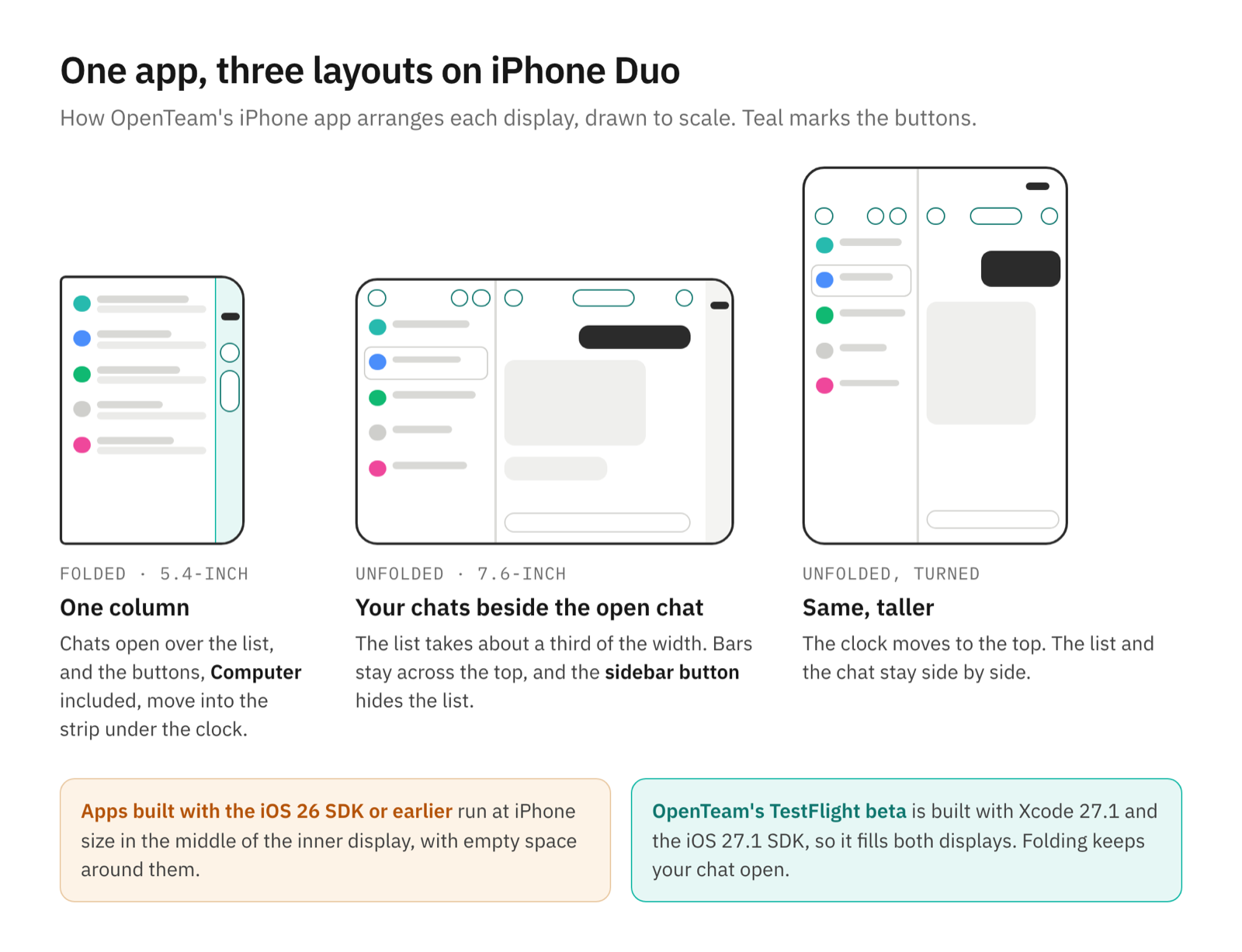
OpenTeam's earlier iPhone betas were built with Xcode 26, so on a Duo they ran at iPhone size, centered on the inner display. The TestFlight beta is now built with Xcode 27.1, with a layout written for each display.
Why a team of AI agents suits a foldable
Most of a conversation with bots is reading: a comparison table, a draft email, a morning brief with three items. On a regular iPhone you read those in a narrow column and go back to a list to switch bots. On the Duo's inner display the answer gets room, and the other bots stay one tap away.
OpenTeam bots also work on their own computers, so there's often a screen to look at. The inner display shows a bot's whole desktop at a size you can follow. Folded, the Duo is a phone again, for a quick reply, a voice note or a Send on an email draft.
Folded: a one-column chat app
Folded, OpenTeam works like a phone app with one change. The Duo's outer display keeps the clock and status icons in a strip down its right edge, and Apple's own apps put their buttons in that strip. OpenTeam does the same.
On the conversation list, your account, Search and New conversation sit in the strip under the clock. Open a chat and it covers the list. Back and Computer move into the strip, the chat's name stays at the top, and the composer sits to the left. Everything else from the iPhone app is there: files and photos, voice notes, answers to a bot's questions and forms, and email drafts that wait for you to press Send.
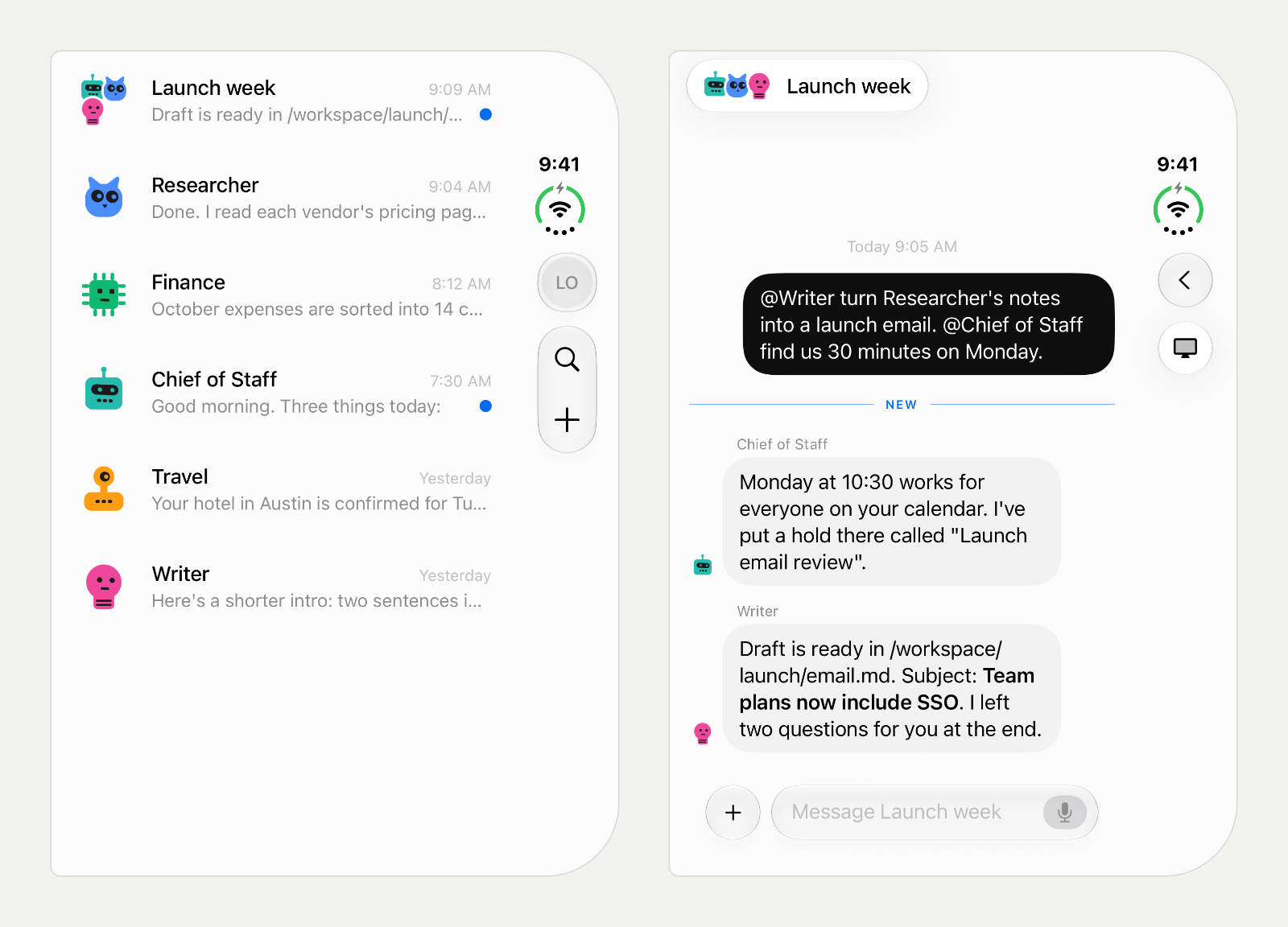
The group chat on the right is a room with three bots: Chief of Staff, Researcher and Writer. You address one with an @mention, and they take turns. How AI agents talk to each other covers how rooms work.
Unfolded: your chats beside the open chat
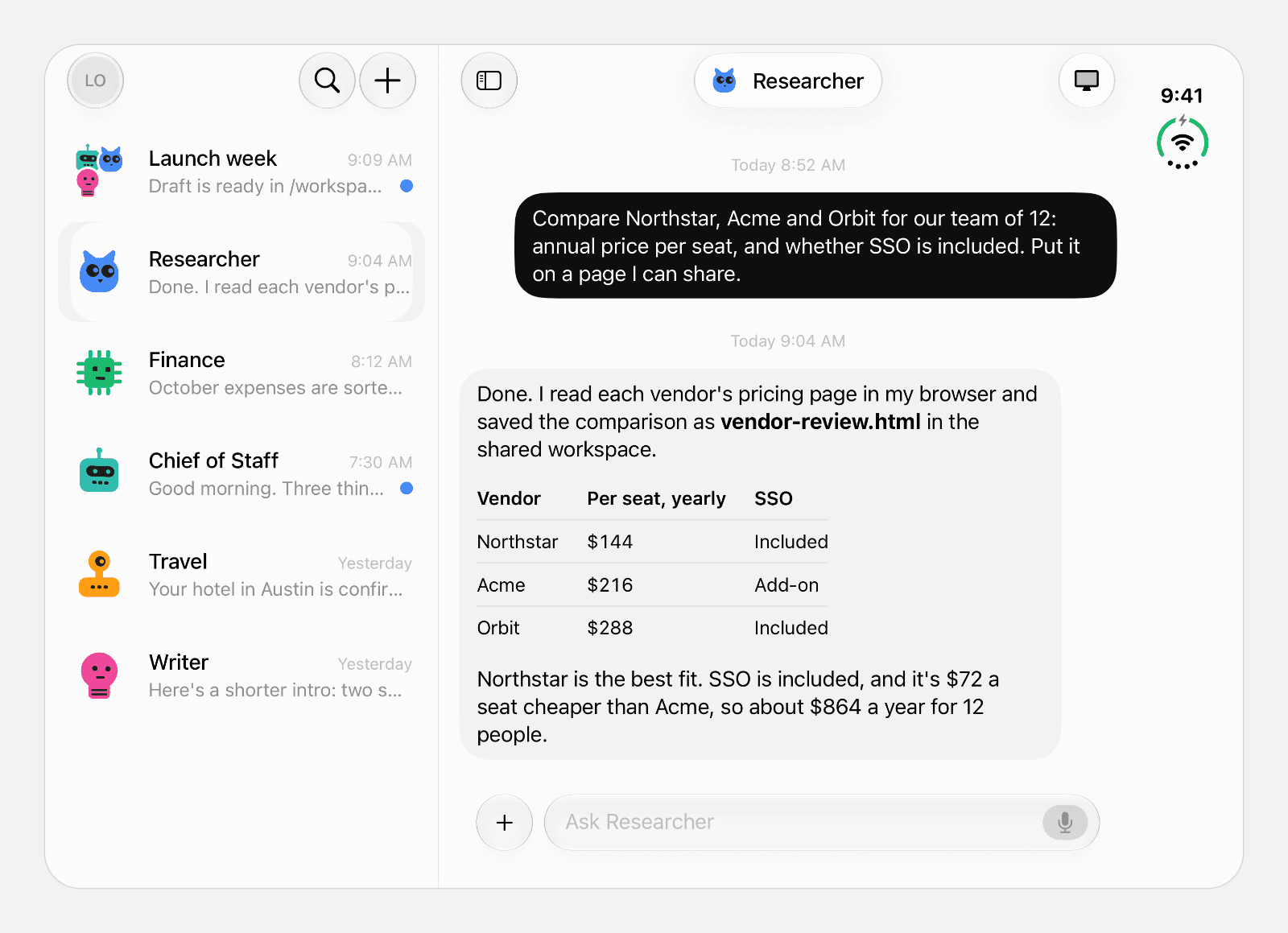
Unfold the Duo and the chat you had open stays open. The conversation list moves beside it and takes about a third of the width. Tap another bot in the list and its chat replaces the one on the right; the list stays put. Unread chats keep their blue dot.
The bars stay across the top, as they do in Apple's Settings and Safari on the inner display. The chat's leading button switches from Back to a sidebar button, which hides the list for a full-width chat and brings it back. Turn the unfolded Duo sideways and the clock moves to the top edge. The list and the chat stay side by side.
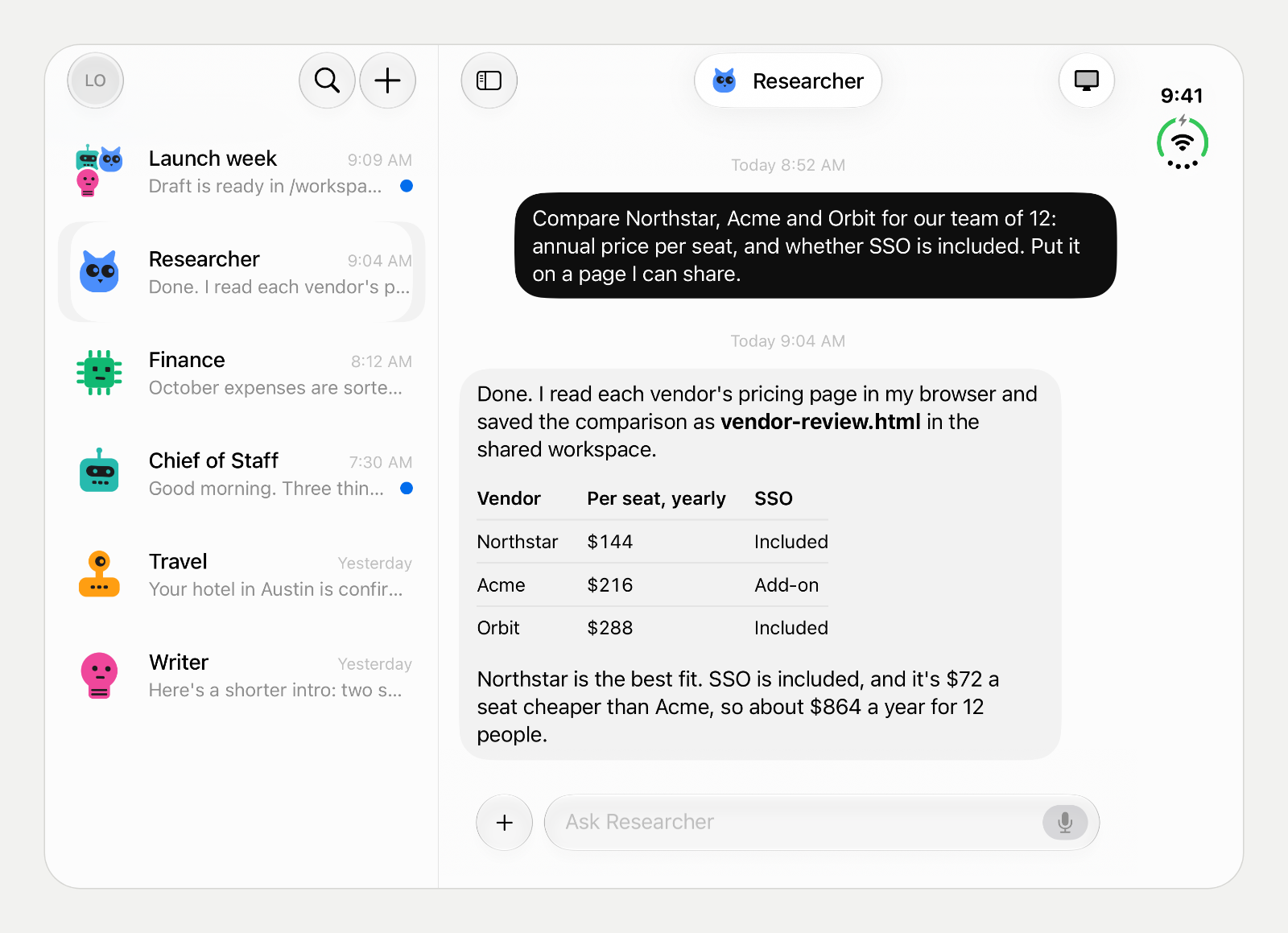
Long answers get the room. In the screenshot at the top, the Researcher's request, its table and its recommendation fit beside the list with space left over.
Watch and take over a bot's computer on the big screen
Each OpenTeam bot has a persistent Linux desktop, 1280×800 pixels, with Chromium and a terminal (computer). Tap Computer in a chat to watch it live. On the Duo's inner display, that desktop is drawn more than twice as wide as on the folded screen, and the vendor table in our sample is readable without zooming.
To act on it yourself, open the menu and choose Take control. The bot pauses while you hold control. Then you tap to click, drag to move, hold to right-click, and scroll with two fingers. The keyboard button types on the bot's computer, the clipboard button sends text you paste, and you can pinch to zoom up to three times. Closing the screen gives control back to the bot.
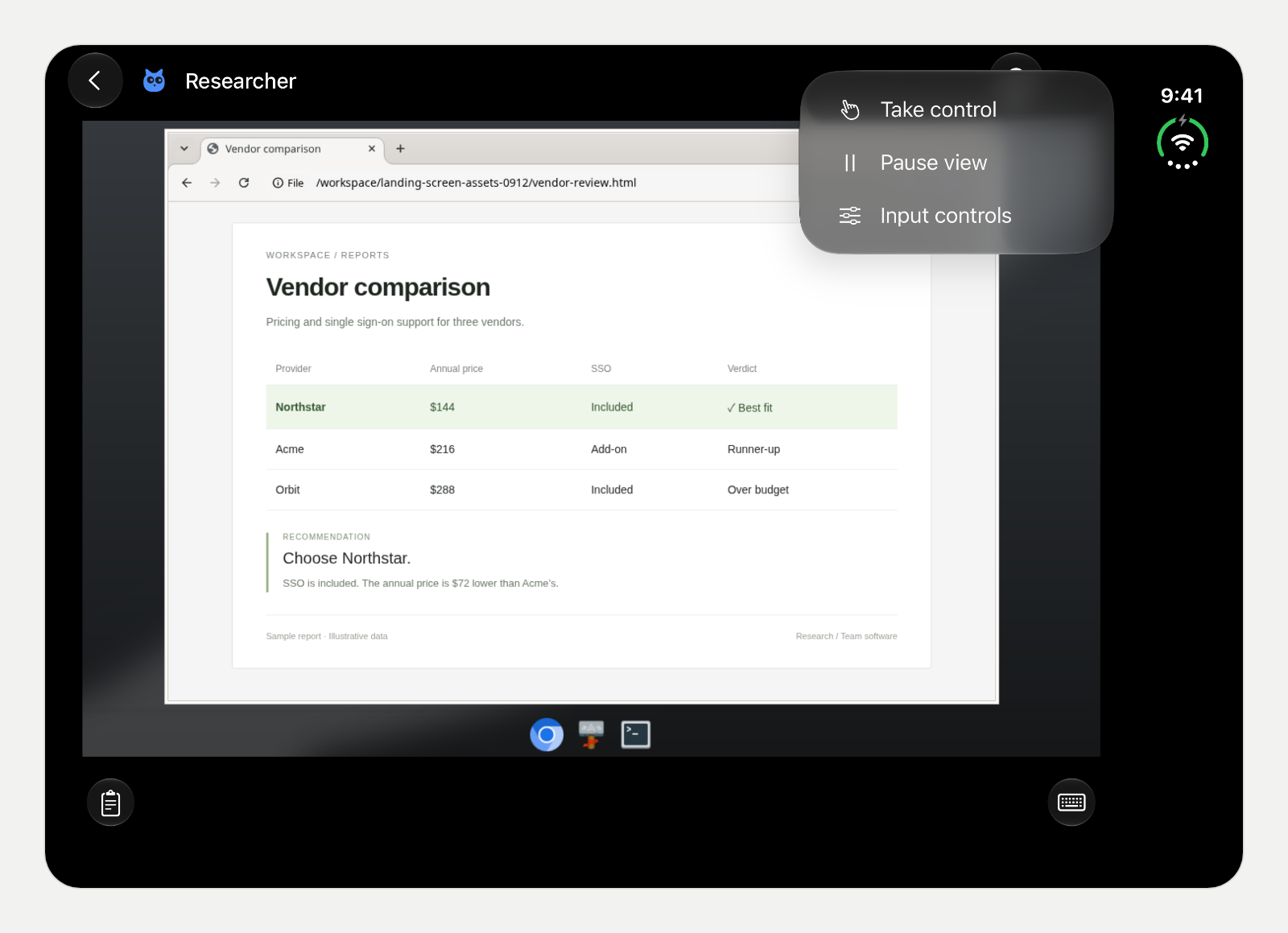
When a bot hits something only you can do, it posts a card asking you to take over, and that card opens the same screen. Giving every AI agent its own computer explains how the desktops, the live view and the control lease work.
Set it up
The iPhone app is a client. Your bots, their computers and your conversations live on an OpenTeam server.
- Run a server on a machine that stays on, such as a Mac mini, a home server or a small cloud VM. It needs Docker. Run
curl -fsSL https://openteam.so/install | shon macOS or Linux, orirm https://openteam.so/install.ps1 | iexin Windows PowerShell, and follow the guided setup. Our guide to self-hosting AI agents and the quickstart walk through it. - Install the beta. On the Duo, get TestFlight from the App Store, open the OpenTeam beta invite, and choose Accept, then Install.
- Connect. Open OpenTeam and choose Get started. Paste the server address that setup printed, such as
http://192.168.1.20:8787, choose Connect, and sign in with the username and password you created. If the server has no model or bots yet, the app walks you through connecting a model and creating your first bot (apps). - Reach it away from home. By default the server is reachable on your home network. Install Tailscale on the server and on the Duo, in the same tailnet, and connect through it; setup picks the server's Tailscale address when it finds one (remote access). OpenTeam can also serve a private HTTPS address through Tailscale Serve; reach self-hosted OpenTeam bots from anywhere with Tailscale HTTPS has the steps.
One model serves every bot on a server. You can change it later in Settings → Model, on the iPhone or on the desktop app.
Limits
- It's a beta. The iPhone app is on TestFlight, not the App Store. It needs iOS 18 or later.
- You need your own server. The app does nothing without one. If the server runs on a laptop that sleeps, your bots stop until it wakes.
- Push alerts are hard to get. iPhone push needs Apple Push Notification service credentials on your server, from the Apple Developer team that signed the app (mobile notifications). For the TestFlight app, that's OpenTeam's team, and there's no relay. Most TestFlight users won't have such credentials, so they see new messages when they open the app. Desktop alerts don't need them, and if you build the iPhone app yourself in Xcode, you can use your own team's key.
- Some settings aren't on iPhone. Remote access and computer settings are in the desktop app and the server's
openteamcommand. The desktop app runs on macOS with Apple silicon and Linux x64. There's no Android app and no web app. - One person, one model. A server has one human account, and every bot uses the same model.
- Few stops before actions. Email and Slack replies wait as drafts for your Send, and bots can't send email themselves. Other actions run without an approval step.
- We haven't tested Split View. iPhone Duo can show two apps side by side (Apple), and we haven't checked OpenTeam there.
Frequently asked questions
Does OpenTeam work on iPhone Duo?
Yes. The TestFlight beta is built with Xcode 27.1 and the iOS 27.1 SDK, so it fills both displays instead of running letterboxed. Folded, it's one column; unfolded, your chats sit beside the open chat.
Is the OpenTeam iPhone app free?
Yes. The app is a free TestFlight beta, and the OpenTeam server is free and open source under GPL-3.0. You pay for the machine the server runs on and for your model provider.
Do I need a Mac to use OpenTeam on iPhone Duo?
No. The server runs with Docker on macOS, Windows or Linux, and the iPhone app can connect a model and create your first bot. A Mac or Linux PC adds the desktop app, which has the remote access settings.
Does OpenTeam work when the iPhone Duo is folded?
Yes. Folded, you get the whole app in one column, with its buttons in the strip under the clock. You can still watch a bot's computer; it's smaller than on the inner display.
Do push notifications work on iPhone Duo?
Only with Apple push credentials on your server from the team that signed your copy of the app. With the TestFlight build, most people won't have them, so new messages show up when you open the app.
What about other AI assistant apps on iPhone Duo?
It depends on how each was built. Perplexity's October 23 update says "Perplexity now supports Duo" (App Store). The latest ChatGPT, Claude and Gemini updates, from October 21 to 24, don't mention the Duo in their notes. Apps that submit iPhone Duo screenshots show a badge on their App Store page saying they're optimized for it (Apple Developer).
Try OpenTeam
Install the server with curl -fsSL https://openteam.so/install | sh on macOS or Linux, then follow the quickstart. Join the iPhone beta on TestFlight, or get the desktop apps from the download page.