A Hermes Agent alternative that ships as a team, desktops included
Hermes Agent now has bots and group chats. OpenTeam, a self-hosted Hermes Agent alternative, runs them on a server with a desktop per bot. Where each wins.
On this page
OpenTeam is a self-hosted Hermes Agent alternative: open-source AI agents that work as a team on your server, with group chats and a Linux desktop for every bot on from install. It's GPL-3.0 and runs in Docker on macOS, Windows or Linux hosts. Hermes Agent does more; stay with it for messaging apps, a Windows app or a model per bot.
We build OpenTeam, so weigh our view accordingly. Every claim about Hermes Agent below links to its source, mostly Nous Research's own README, docs, release notes and GitHub issues, as of October 11, 2026. We haven't run Hermes ourselves, so this compares documented behavior, not benchmarks.
What Hermes Agent is (as of October 2026)
Hermes Agent is an MIT-licensed agent from Nous Research. Its README calls it "the self-improving AI agent" because it creates and improves its own skills. You can drive it from a terminal UI, from Hermes Desktop on macOS, Windows and Linux, or through a messaging gateway for Telegram, WhatsApp, Signal, email and other chat apps.
It works with Nous Portal, OpenRouter, OpenAI, your own endpoint and many other providers. Commands run on your own machine by default. Six other terminal backends move them into Docker, SSH, Singularity, Modal, Daytona or Vercel Sandbox.
Hermes is no longer one agent with helpers. v0.21.0, released on August 31, 2026, made Bot Mode a built-in part of Hermes Desktop. In Bot Mode, each bot is a Hermes profile with its own model, memory, skills and credentials.
Group chats seat two to six bots, run up to three rounds per message and stop at 10 messages. Bots message each other with a message_agent tool, and hermes peer links bots on different machines. By v0.21.5 on September 24, Hermes also shipped Bot Screen, an Xfce desktop per bot that you can watch and take over.
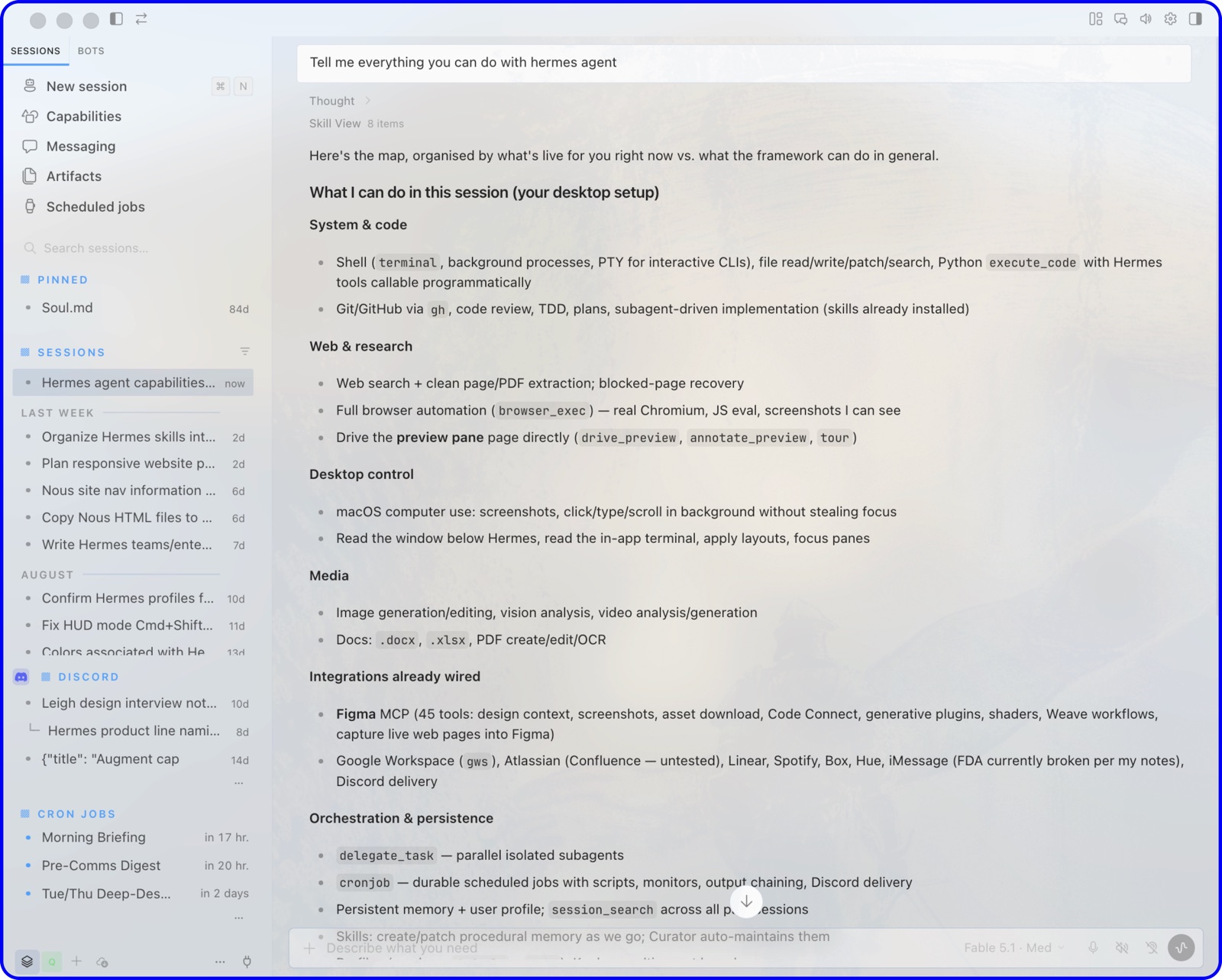
So on paper, Hermes now covers most of what OpenTeam does. The real differences are where the team runs, what's on by default, and how much you set up yourself.
Hermes is also big: about 250,000 GitHub stars, and a $90 million raise at a $1.5 billion valuation, reported by TNW on October 7, citing the Wall Street Journal. The software is free; Nous Portal is an optional $0–$200 monthly subscription for models and tools.
Why people look for a Hermes Agent alternative
1. Updates that break a working setup
On October 8, a post in r/hermesagent titled "Hermes has officially reached openclaw levels of broken garbage" asked for alternatives that "don't randomly break half your setup on every update" (Reddit). Replies were split. Several users said updates hadn't broken their installs. Others described broken installs and the lack of a stable channel.
The pace is documented. The v0.21.6 release notes (October 8) count about 2,100 merged pull requests in the two weeks since v0.21.5. That release is also the first cut by a new stable release pipeline, which publishes a stable Docker tag.
2. Group chats that stop when the laptop sleeps
Bot Mode group chats live in Hermes Desktop. The docs say a room whose bots share one gateway keeps running after Desktop closes. A September 23 field report found otherwise: Desktop still drove the rounds, so a room stopped when the laptop slept, even though both bots lived on a VPS.
The fix is tracked in issue #97681, where the Desktop piece was still deferred in an October 8 audit. Cross-machine messages also relay through a running Desktop unless you set up hermes peer.
3. A computer per bot takes setup
Bot Screen, which gives each bot its own Xfce desktop, needs a Linux gateway host with TigerVNC and Xfce installed, or a Docker, SSH or Singularity sandbox with the same desktop packages. Each screen is off until you start it or turn on auto-start. On a Mac or Windows host with the default local backend, there's no separate screen: computer use drives your own desktop in the background.
Hermes Agent vs OpenTeam
Hermes facts come from its README, docs and release notes as of October 11, 2026. OpenTeam facts describe v0.0.1, released October 10, 2026.
| Hermes Agent | OpenTeam | |
|---|---|---|
| Price | Free; optional Nous Portal plans up to $200/month | Free; you pay for hardware and model usage |
| License | MIT | GPL-3.0 |
| Where it runs | Laptop, server, VPS or Hermes Cloud | Docker on a macOS, Windows or Linux host |
| Computer per agent | Xfce desktop per bot on Linux or in a sandbox, off by default | Linux desktop, Chromium and terminal per bot, always on |
| Where commands run | Your machine by default; sandboxes optional | Inside one hardened container |
| Models | Any provider; per bot and per session | Any provider or local endpoint; one for all bots |
| Multi-agent | Group chats of 2–6 bots, bot-to-bot messages, subagents | Group chats of up to 6 bots, bot-to-bot messages, subagents |
| Group chat rounds run in | Hermes Desktop (gateway support pending) | The server |
| People per install | You, plus allowlisted chat users | One account |
| Approvals | Dangerous-command checks on by default | None |
| Channels | About 20, including Telegram, WhatsApp, Signal, email | OpenTeam's own apps |
| Apps | Desktop on macOS, Windows, Linux; terminal UI; Android via Termux | Desktop on macOS (Apple silicon) and Linux x64; iPhone beta |
| Data location | Your machine, or Hermes Cloud | Your server |
How OpenTeam works differently
The team runs on the server
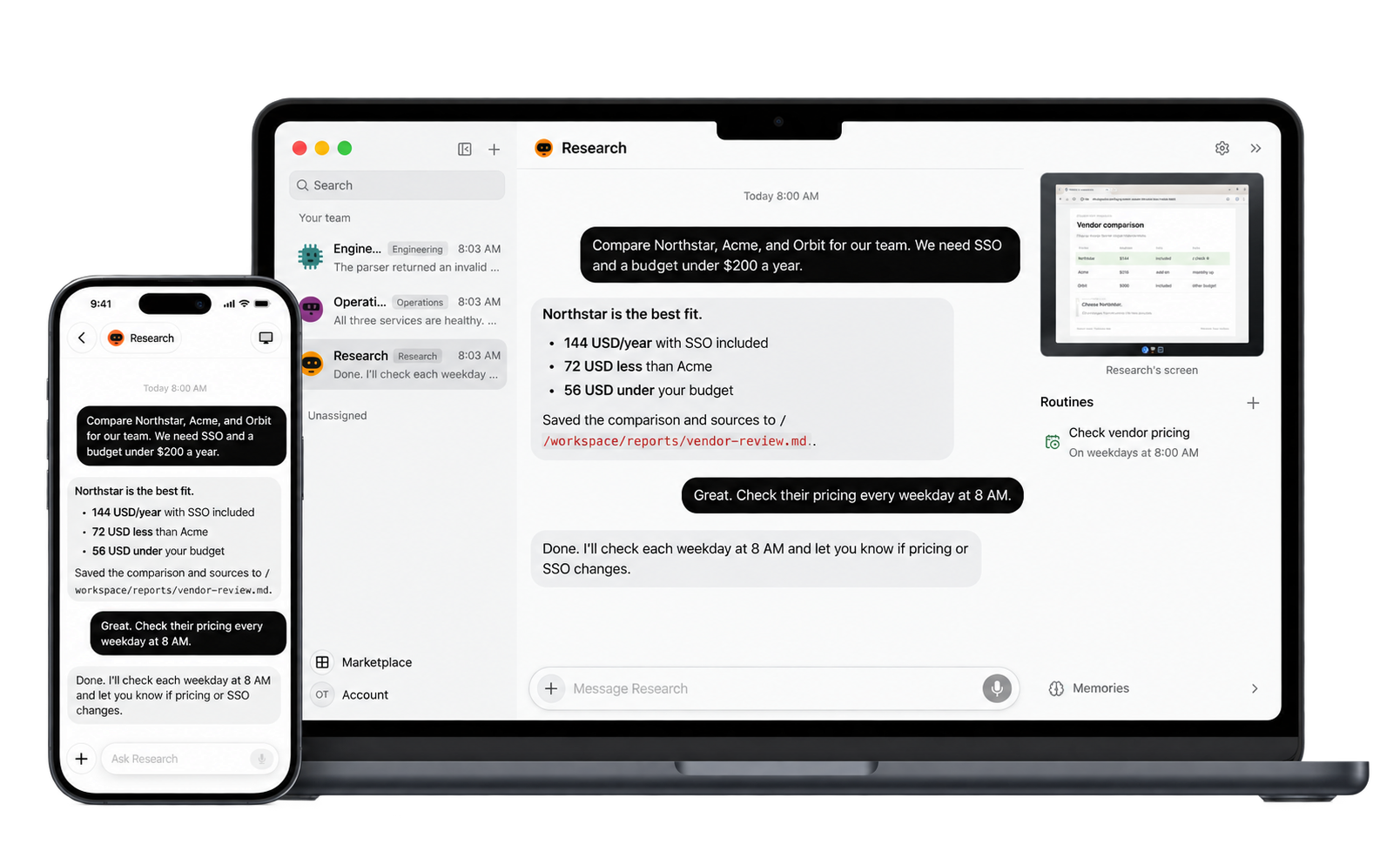
In OpenTeam, group chats, bot-to-bot messages and routines run on the server. The Mac, Linux and iPhone apps are windows onto it, so you can close them and the work continues. If the server is a laptop that sleeps, the bots stop until it wakes.
A group chat holds up to six bots. They take turns in a rotating order, and an @mention addresses one bot. Each message you send allows at most 3 rounds and 10 bot messages, the same caps Hermes uses.
Outside group chats, bots message each other directly, create new teammates and hand tasks to subagents. Direct messages between bots have no hop limit, so watch long back-and-forths.
Routines are saved instructions that run on a schedule (up to eight schedules each, at most once every five minutes) or when an event arrives. To reach the server away from home, keep the default Private network mode and connect over a VPN such as Tailscale.
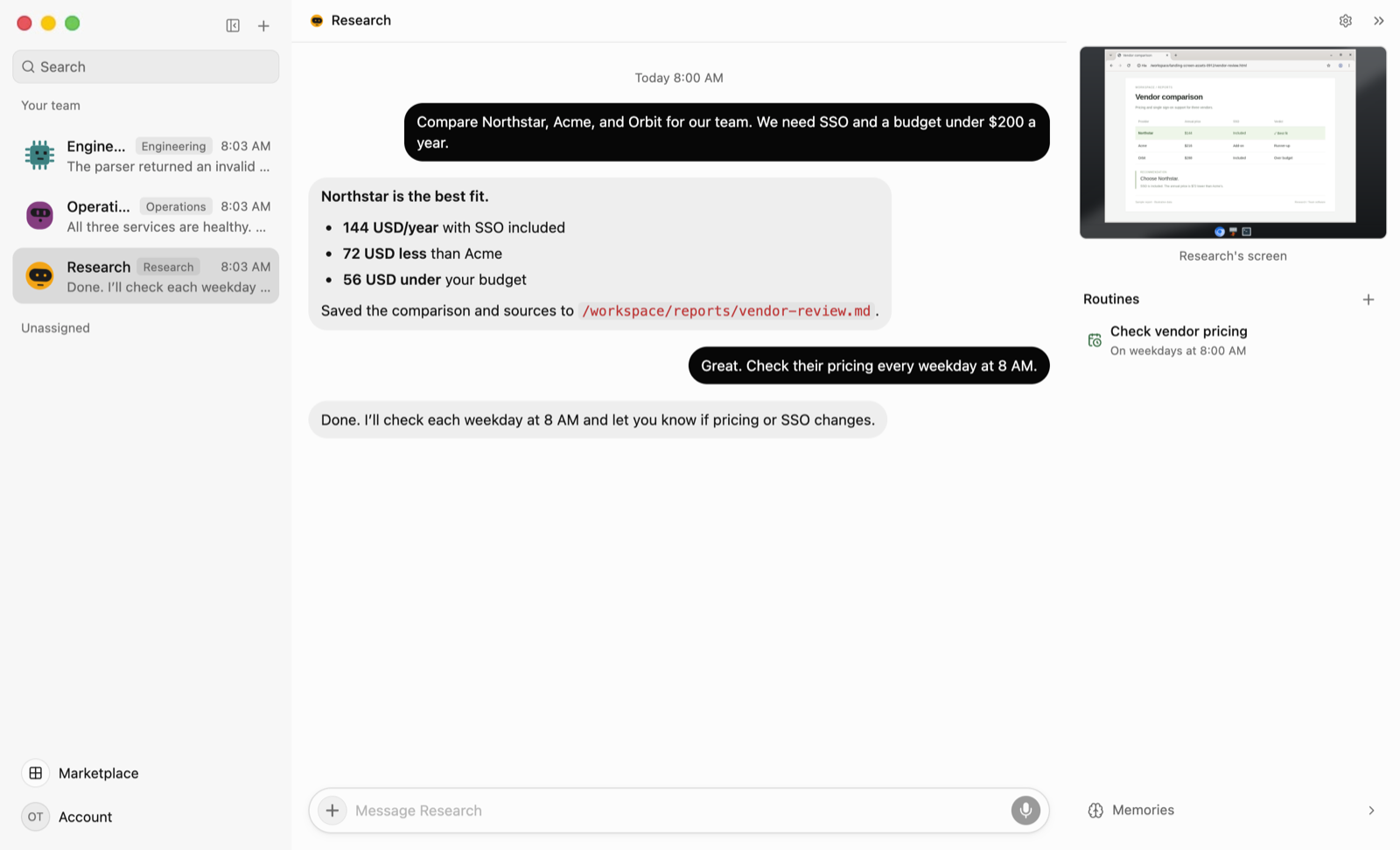
Every bot has its own computer
Each bot gets a persistent Linux desktop: XFCE at 1280×800, with Chromium and a terminal. You can watch any bot's screen live and take over. When a site wants a CAPTCHA, a 2FA code or a payment, the bot posts a card asking you to step in, then continues when you hand back. There's nothing to install or switch on per bot.
Up to 100 desktops run in one hardened container, with Linux capabilities dropped and a read-only filesystem. Isolation between bots is by convention: they share one Unix user inside that container. Hermes is candid about the same trade-off, calling its screens "work surfaces, not security boundaries". Bots touch your own computer only if you connect it through the desktop app.
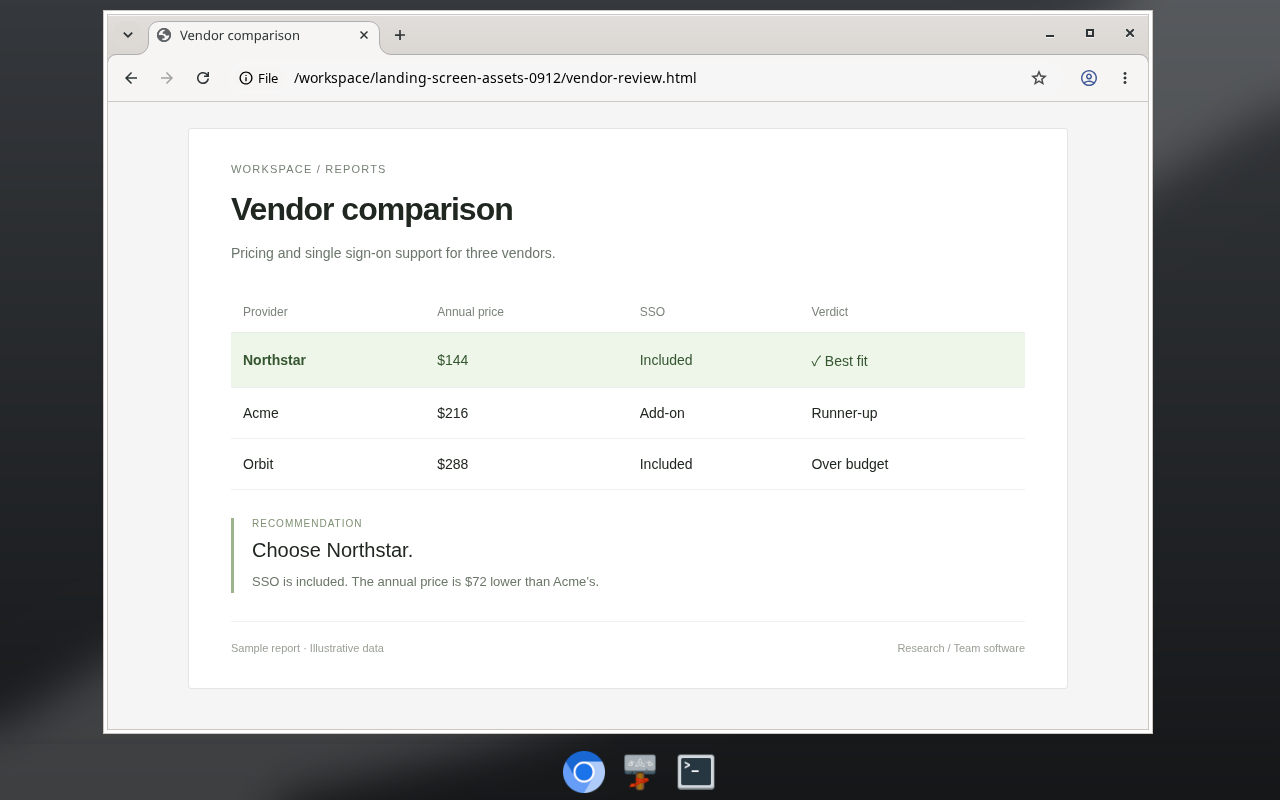
Files and sign-ins are shared
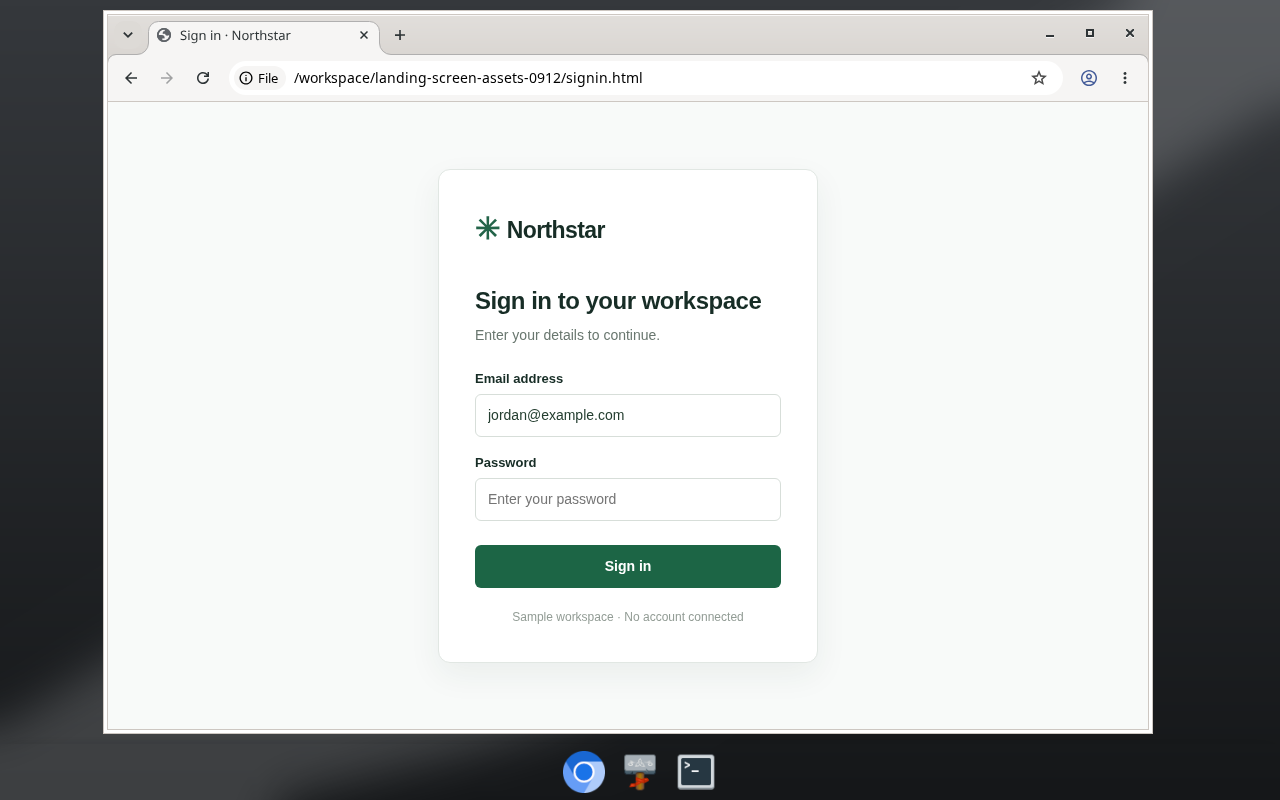
All bots share a /workspace folder, so one bot can pick up another's report without copying it. Website sign-ins are shared too: sign in once on any bot's screen and every bot is signed in. When a site asks for a password, OpenTeam can fill it in without the model seeing it.
Hermes does the opposite: each bot has its own credentials, browser profile and cookies. That's better if you want bots kept apart; OpenTeam's design suits bots working on the same things.
One install, one update command
OpenTeam installs with one command and a guided setup. It needs Docker Engine and Docker Compose 2.20 or newer, and we recommend 8 GB of RAM and 8 GB of free disk.
openteam doctor checks the setup with a real model request. openteam update checks the download's signature, backs up the database and rolls back if the new version doesn't start. That backup covers the database, not workspace files, so keep your own backups.
It's also young. We introduced OpenTeam with v0.0.0 on October 6, 2026, v0.0.1 followed on October 10, and the community is small. Expect rough edges.
What Hermes Agent does better
- It learns on its own. Hermes creates skills after complex tasks and improves them in use (README). OpenTeam bots save a skill when asked.
- It meets you in your chat apps. One gateway covers about 20 platforms, including Telegram, WhatsApp, Signal and email, and allowlisted people can talk to it too. OpenTeam has no messaging channels and one human account per server.
- It runs in more places. Seven terminal backends include Modal and Daytona sandboxes that hibernate when idle, and bots on different machines can share a group chat. OpenTeam is one server and one container.
- Every bot can pick its own model. Pin a model per bot, or switch per session with
/model. OpenTeam uses one model for all bots on a server. - It covers more platforms. Hermes Desktop runs on Windows, and Android works through Termux. OpenTeam's desktop apps are macOS on Apple silicon and Linux x64 only, the iPhone app is a TestFlight beta, and there's no Android app.
- It checks risky commands. Smart approval mode is on by default, and you can add deny rules (security). OpenTeam has no approval step.
- It has more people and money behind it. MIT licensing, about 250,000 stars and $90 million in new funding. OpenTeam first shipped on October 6.
If any of those is the job, Hermes Agent is the better tool today.
Moving from Hermes Agent
There's no one-command importer, but the pieces most worth keeping move over by hand.
- Skills. Hermes keeps skills as
SKILL.mdfiles under~/.hermes/skills/. In OpenTeam, open Marketplace → Manage → Private skills and choose Import SKILL.md. The name, description and instructions come across; Hermes-only frontmatter such as toolset conditions doesn't. Add supporting files as JSON, then choose which bots can use the skill (skills). - MCP servers. Hermes lists them under
mcp_serversinconfig.yaml(MCP). Add each one under Marketplace → Manage → Add custom MCP, as an HTTP endpoint or as a command that runs on the bots' computer (plugins). - Memory. Tell your bots what they should know, for example "Remember for all bots: I'm in the Pacific time zone." Memory is Markdown you can edit later.
Other Hermes Agent alternatives
- OpenClaw (MIT) is the agent Hermes offers to migrate you from, with
hermes claw migrate. It reaches you in more than 20 chat apps and has native apps for macOS, iOS, Android, Windows and Linux. - Agent Zero (MIT) is one agent with a full XFCE Linux desktop in Docker, plus subordinate agents for delegated work.
- goose (Apache-2.0) is a desktop app and CLI for macOS, Linux and Windows, with 15+ model providers and 70+ MCP extensions.
- Paperclip (MIT) coordinates agents you bring, Hermes included, with org charts and budgets. It complements Hermes more than it replaces it.
Prefer a hosted agent with a cloud computer? See Grok Bot vs Meta Muse vs OpenAI dots.
Which should you choose?
- Choose Hermes Agent if you want to reach your agent from Telegram, WhatsApp or Signal, need a Windows app, want a different model per bot, or want checks before risky commands.
- Choose OpenTeam if you want a team that keeps working on a server with every app closed, a desktop and browser for each bot without extra setup, and shared files and sign-ins. You accept one model per server, one account and no approval step.
- Choose OpenClaw if chat-app coverage and native apps on every platform matter most.
- Choose Agent Zero if one agent with its own desktop is all you need.
Frequently asked questions
Is there an open-source alternative to Hermes Agent?
Yes. OpenTeam (GPL-3.0), OpenClaw (MIT), Agent Zero (MIT) and goose (Apache-2.0) are all open source. Hermes itself is MIT-licensed, so switching is about design, not openness.
Does Hermes Agent support multiple agents?
Yes. Since v0.21.0, Bot Mode turns Hermes profiles into bots that share group chats and message each other, and Hermes spawns isolated subagents for parallel work. Group chat rounds still run in Hermes Desktop; moving them to the gateway is open work.
Does OpenTeam ask before running commands?
No. OpenTeam bots act directly, with no approval prompts, while Hermes checks dangerous commands by default. OpenTeam relies on isolated execution instead: commands run in the bots' container, the Gmail plugin writes drafts instead of sending, and bots hand you any CAPTCHA, 2FA or payment step.
Can I use OpenTeam with a local model?
Yes. Point it at any OpenAI-compatible endpoint, such as Ollama, LM Studio or vLLM, or use an OpenAI, Anthropic or OpenRouter API key. One model serves every bot on the server, chosen in Settings → Server. Hermes runs local models too, and lets each bot use a different one.
Does OpenTeam have a Windows app?
Not yet. The server runs on Windows through Docker and installs from PowerShell, but the desktop apps are for macOS on Apple silicon and Linux x64. Hermes Desktop runs on Windows today.
Is OpenTeam free?
Yes. OpenTeam is free software under GPL-3.0, with no paid tier. You pay for the machine it runs on, your model provider and any services you connect.
Try OpenTeam
Install it on macOS or Linux with curl -fsSL https://openteam.so/install | sh, or on Windows with irm https://openteam.so/install.ps1 | iex in PowerShell. Guided setup takes it from there. The quickstart walks you through your first bot, and the desktop apps are on the download page.