An open-source Grok Bot alternative that runs on your own hardware
Grok Bot runs only in xAI's cloud. OpenTeam is an open-source, self-hosted alternative on your own hardware. How the two compare, and where Grok Bot wins.
On this page
OpenTeam is an open-source Grok Bot alternative: a self-hosted AI agent team where each bot gets its own Linux computer and browser on hardware you control. It's GPL-3.0, uses your OpenAI, Anthropic or OpenRouter key or a local model, and needs no xAI, Cursor or SuperGrok account. Grok Bot is easier; stay with it for zero setup or Android.
We build OpenTeam, so weigh our view accordingly. The Grok Bot facts below come from xAI's docs and Cursor's help and pricing pages as of October 10, 2026, and we haven't benchmarked the two. OpenTeam's agent tools, platform prompt and built-in skills are built for compatibility with Grok Bot's, so much of it will look familiar on purpose.
Updated October 13, 2026: Cursor replaced its plans on October 13. Grok Bot now comes with Cursor Premium ($30 a month) and higher plans, or Teams; the new $8 Plus plan doesn't include it (Cursor). The Grok Bot prices below reflect the change.
Grok Bot vs OpenTeam at a glance
Grok Bot facts as of October 10, 2026 (prices as of October 13), from the xAI and Cursor pages linked below. OpenTeam facts are from its v0.0.1 release and docs.
| Grok Bot | OpenTeam | |
|---|---|---|
| Price | Cursor Premium ($30/mo) and up, Cursor Teams, or a linked SuperGrok or X Premium+ plan; trial credit | Free; you pay for the machine and model usage |
| License | Proprietary | GPL-3.0 |
| Where it runs | xAI's cloud, in the US | Your computer, home server or cloud VM, in Docker |
| Computer per agent | One cloud computer per user, shared by your bots | A Linux desktop per bot, in one shared container |
| Models | Chosen per task by Cursor; no picker | One per server: OpenAI, Anthropic, OpenRouter or a compatible endpoint, local included |
| Multi-agent | Group chats of 2–6 bots; bot-to-bot messages | Group chats of up to 6 bots; bot-to-bot messages |
| Agent tools and skills | Grok Bot's own | Built for compatibility with Grok Bot's |
| People per install | One per account; Team Bots on Teams and Enterprise plans | One account per server |
| Approvals | Auto-review with "Ask first" rules | None per action; Gmail drafts; handoffs for CAPTCHA, 2FA, payment |
| Channels | Grok Bot apps; Team Bots also in Slack | OpenTeam apps |
| Apps | macOS, Windows, Linux, iPhone, iPad, Android | macOS (Apple silicon), Linux x64; iPhone beta |
| Data location | xAI's cloud; training follows Cursor privacy settings | Your server; your model provider sees what bots send |
What Grok Bot is, as of October 2026
xAI launched Grok Bot in beta on August 11, 2026, describing its bots as "AI teammates you can give real work to," each with its own cloud computer (xAI). That computer is persistent, with a browser, command line and files, and it keeps working with your laptop closed (xAI). Each user gets one Firecracker microVM that all of their bots share; in xAI's words, bots "isolate personalities and workspaces, not compute" (xAI). Signing in for one bot signs in all of them. For passwords, 2FA, CAPTCHAs and payments, the bot hands you the screen.
Bots work in group chats of two to six and message each other directly (xAI). Skills are reusable instructions shared across your bots. Routines run on a schedule or an event, up to 50 per bot and at least five minutes apart (xAI). Team Bots, in public beta since September 28 on Teams and Enterprise plans, give a team one shared bot with its own Slack app (xAI).
Grok Bot has no standalone price. It comes with Cursor Premium and higher plans and Cursor Teams, or with a linked SuperGrok or X Premium+ subscription, after a trial credit with a 7-day window (Cursor Help). Since October 13, Premium costs $30 a month and Teams starts at $30 per user, while the $8 Plus plan doesn't include Grok Bot (Cursor). Before that, it came with Cursor Pro at $20 a month.
Why people look for a Grok Bot alternative
1. It runs only in xAI's cloud
Grok Bot is a hosted service, not software you install. Its computers run in the United States, and Cursor's US-only data residency program "does not apply to Grok Bot by default" (xAI). One early reviewer put the trade-off plainly: "Your logins end up on a cloud computer that acts as you" (Christopher Alarcon, August 28). That's the product's point, and why some people want the computer at home.
2. You can't choose the model
Cursor's help center is direct: "Grok Bot has no per-user or per-request model selection, and there is no model picker." Each task goes to an xAI model or a third-party one from Cursor's sub-processor list (Cursor Help). The docs describe no way to bring your own key or run a local model.
3. Usage is metered in Cursor's units
Paid access includes a weekly usage grant; past it, work continues as on-demand usage billed through Cursor, if you've turned that on (Cursor Help). There's no separate Grok Bot spend cap (xAI). Some people would rather pay a model provider directly and see every token.
How OpenTeam works differently
OpenTeam's first public release, v0.0.0, shipped on October 6, and v0.0.1 followed on October 10 (GitHub). Introducing OpenTeam covers the design. Here's what matters if you're coming from Grok Bot.
Built for compatibility with Grok Bot
OpenTeam's agent gets the same tool names Grok Bot's bots use on their computer and a platform prompt built to match Grok Bot's. Its built-in skills, for jobs like bookings, shopping, routines and group-chat turns, are adapted to OpenTeam's own tools. The reference was Grok Bot 0.47.0's observable behavior, captured on September 12, 2026 (compatibility notes).
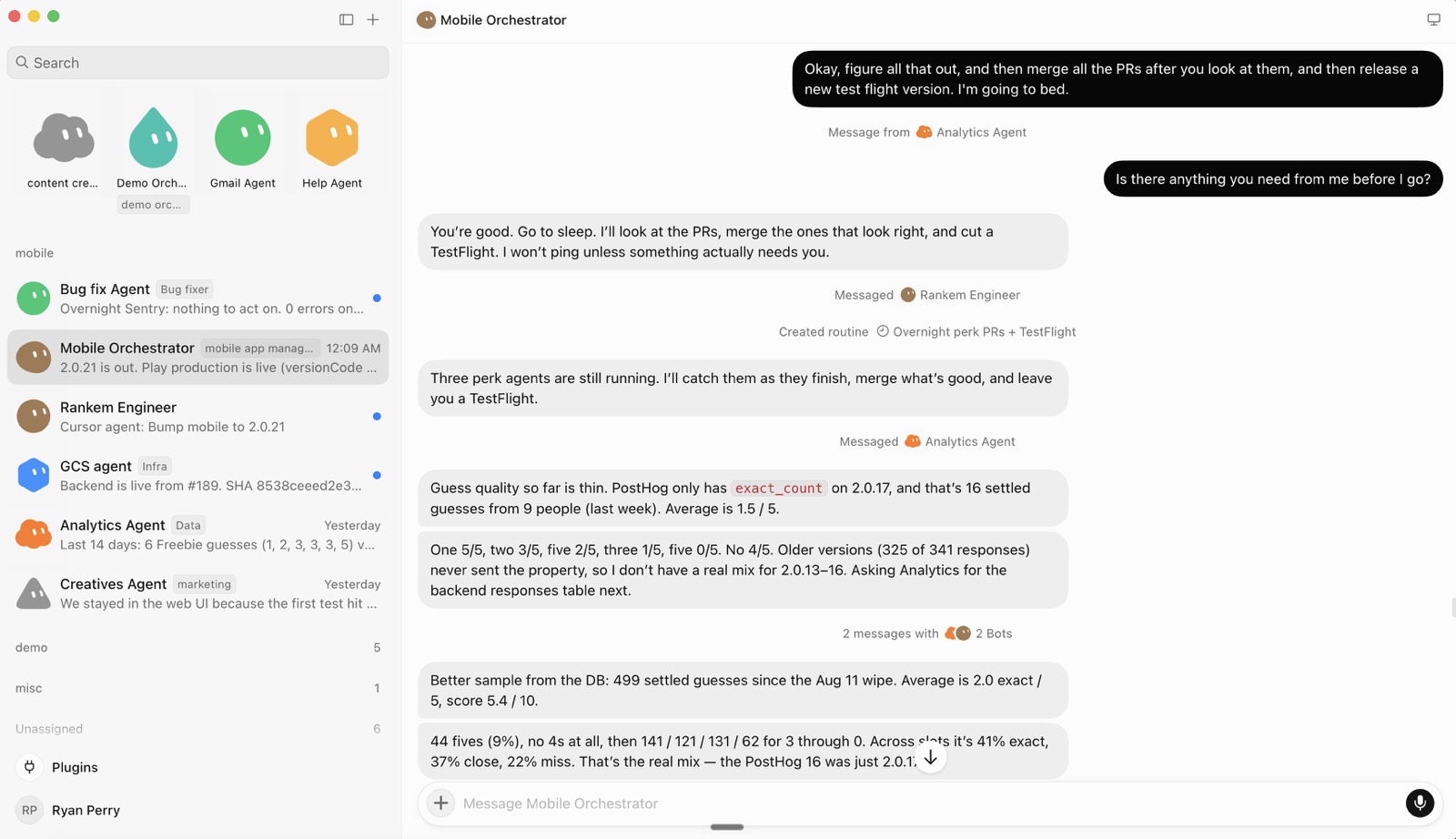
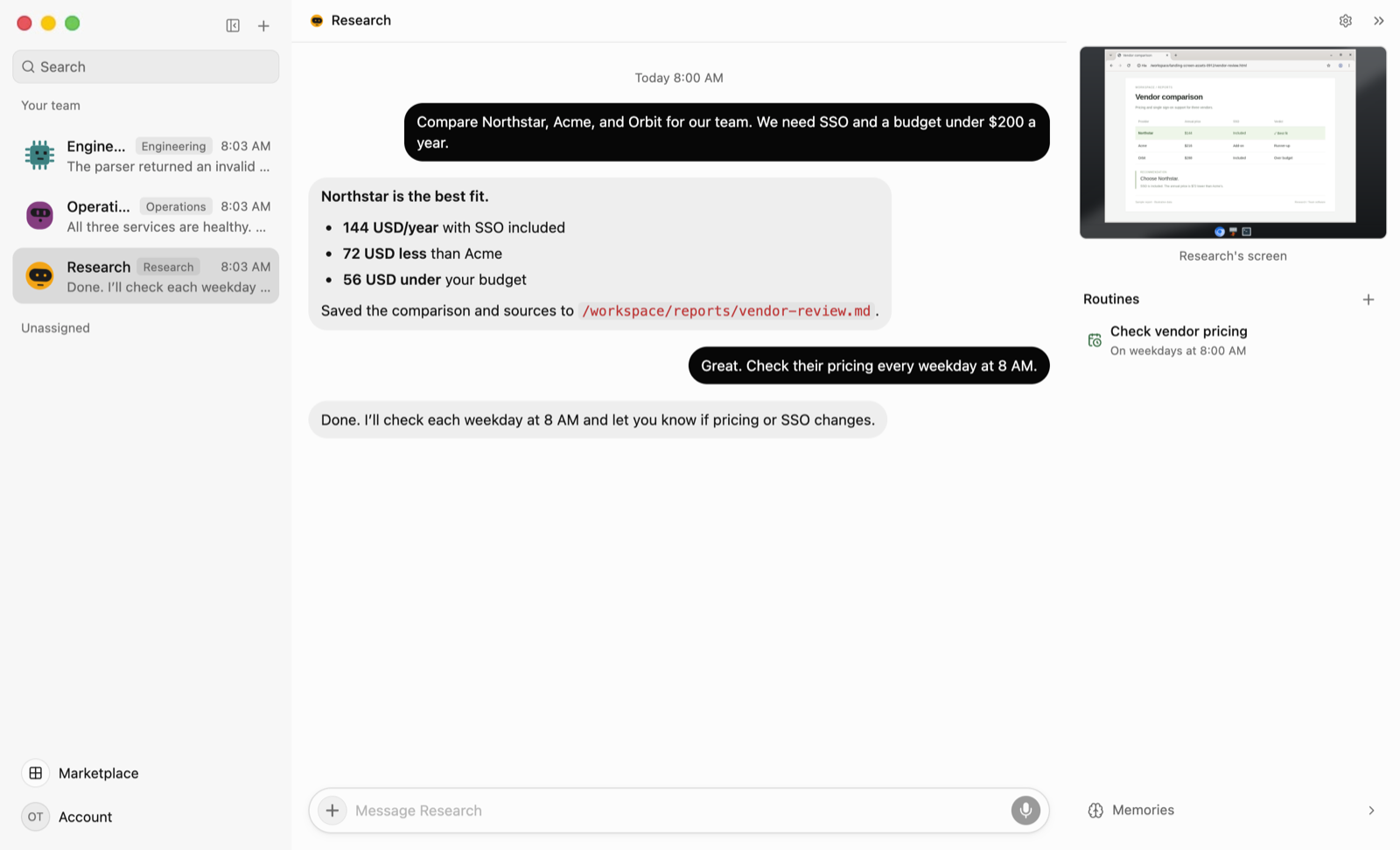
It's a compatibility layer, not a copy of xAI's service. OpenTeam doesn't claim xAI's server-side instructions or identical output, and it leaves out image generation, Cursor cloud agents, voice calls and Grok billing. Because you pick the model, results can differ. Here are the two apps; the first screenshot is from xAI's Grok Bot guide for mobile app development.
Each bot gets its own computer, on your hardware
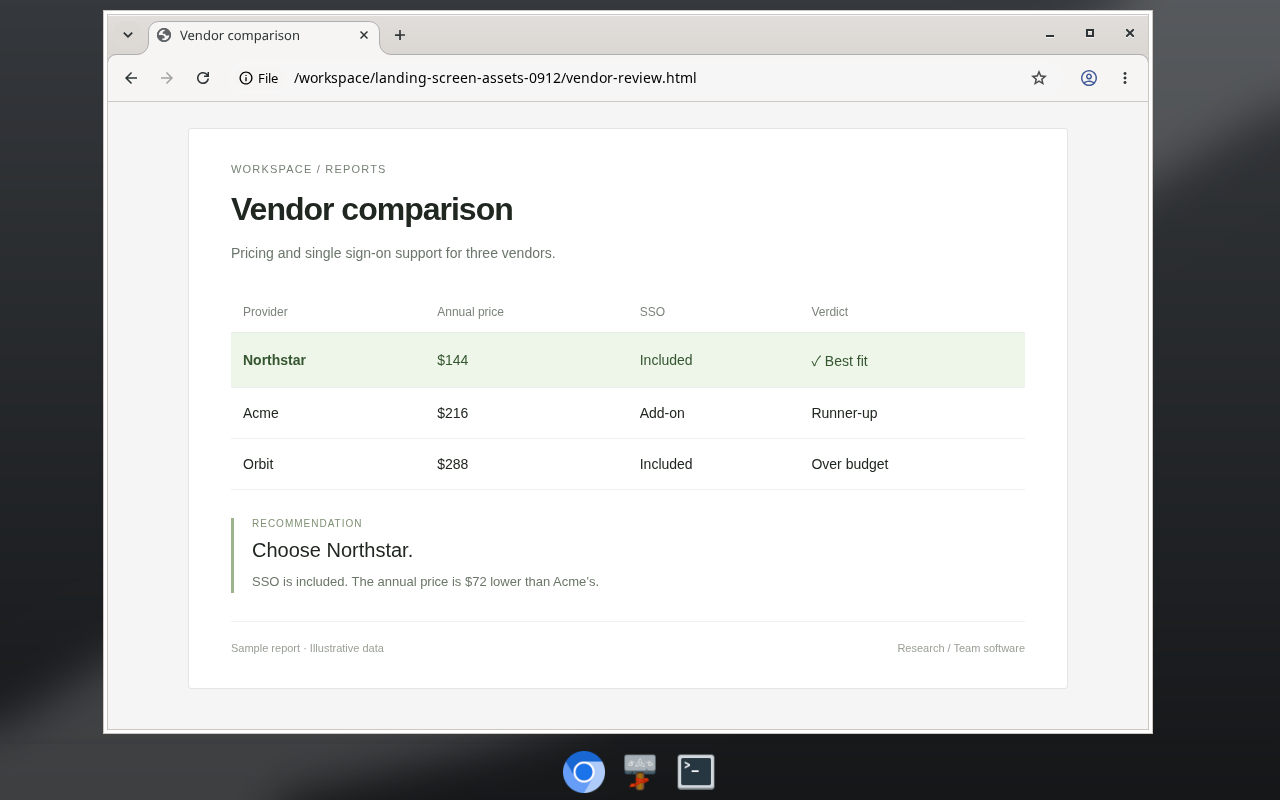
The server runs in Docker on a Mac, Windows or Linux machine, with 8 GB of RAM recommended (installation). Every bot gets a persistent Linux desktop (XFCE, 1280×800) with Chromium and a terminal, which you can watch live and take over (docs). Up to 100 desktops share one hardened container with dropped Linux capabilities and a read-only filesystem.
Grok Bot's bots share one microVM; OpenTeam's share one container and one Unix user. Neither makes the line between your own bots a security boundary. The difference is who runs the machine. Work continues with the apps closed, but a server on a laptop that sleeps stops until it wakes. To reach it from your phone, use your local network or a VPN such as Tailscale.
Sign-ins, files and memory stay on your server
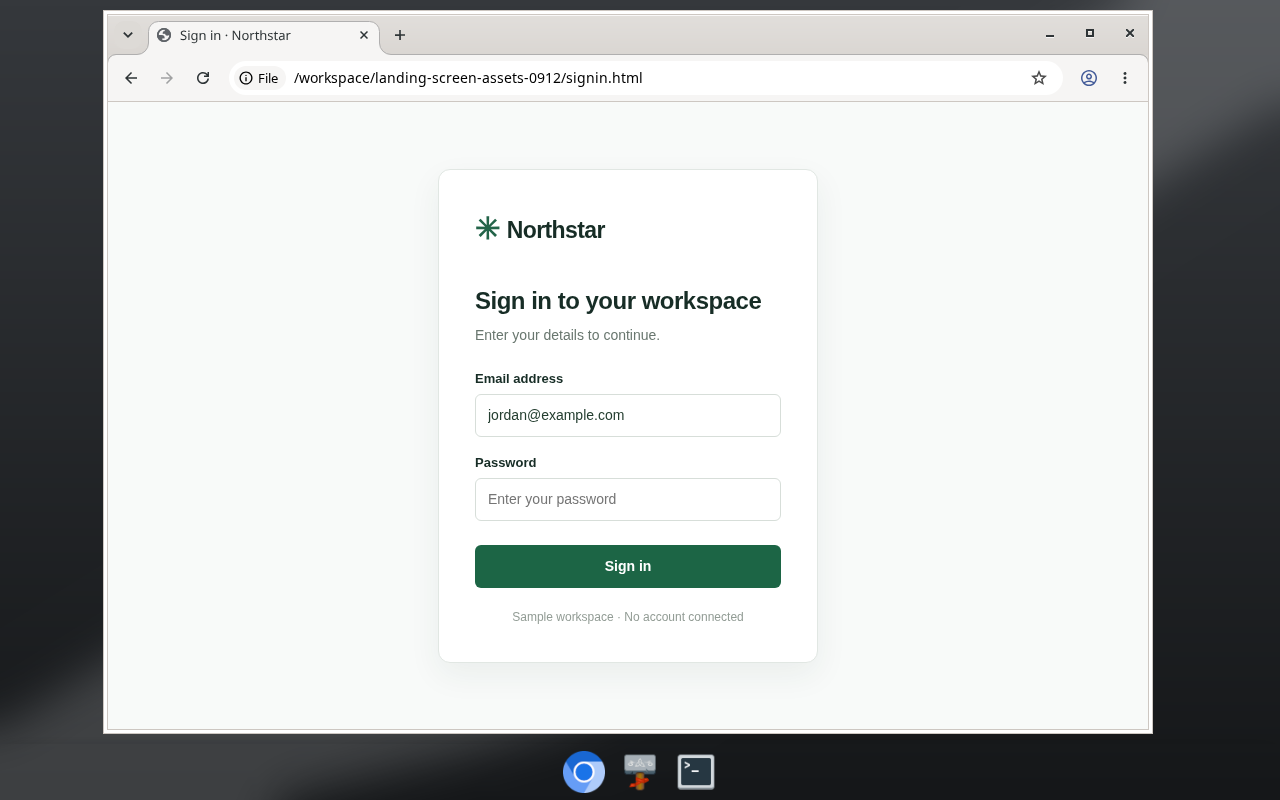
As in Grok Bot, you sign in once on any bot's screen and every bot is signed in. Bots share a /workspace folder and keep editable Markdown memory about themselves, you and your projects. For a CAPTCHA, a 2FA code or a payment, a bot sends you a handoff card, and password forms fill without the model seeing the values. Your model provider still sees what bots send it (privacy), unless the model runs locally.
Your model, your team, your schedules
One model serves every bot, chosen in Settings → Server: an OpenAI, Anthropic or OpenRouter key, or any OpenAI-compatible endpoint, including Ollama, LM Studio and vLLM (models). Bots can't each have their own model.
Group chats hold up to six bots that take turns, with at most three rounds and ten bot replies per message you send. Bots also message each other directly, create teammates and delegate to subagents. Routines run on up to eight schedules, at most every five minutes, or on events (routines). Bundled plugins include Gmail, Google Calendar, Google Drive, GitHub, Linear, Notion, Slack, Granola and 1Password, plus custom MCP servers.
What Grok Bot does better
- Zero setup. You install an app and sign in; xAI runs the computer. OpenTeam needs Docker, a machine that stays on, a model key or local model, and some comfort with a terminal.
- Apps on every device. Grok Bot runs on macOS, Windows, Linux, iPhone, iPad and Android (xAI). OpenTeam's desktop apps are for macOS on Apple silicon and Linux x64 only, its iPhone app is a TestFlight beta, and there's no Android app.
- Teams of people. A Team Bot serves a whole team, each person in a private chat, and posts in Slack as itself (xAI). OpenTeam has one human account per server.
- Managed isolation. Each user's computer is a Firecracker microVM "with hardware-level separation from other users" (xAI). OpenTeam's bots share one container on a machine you maintain.
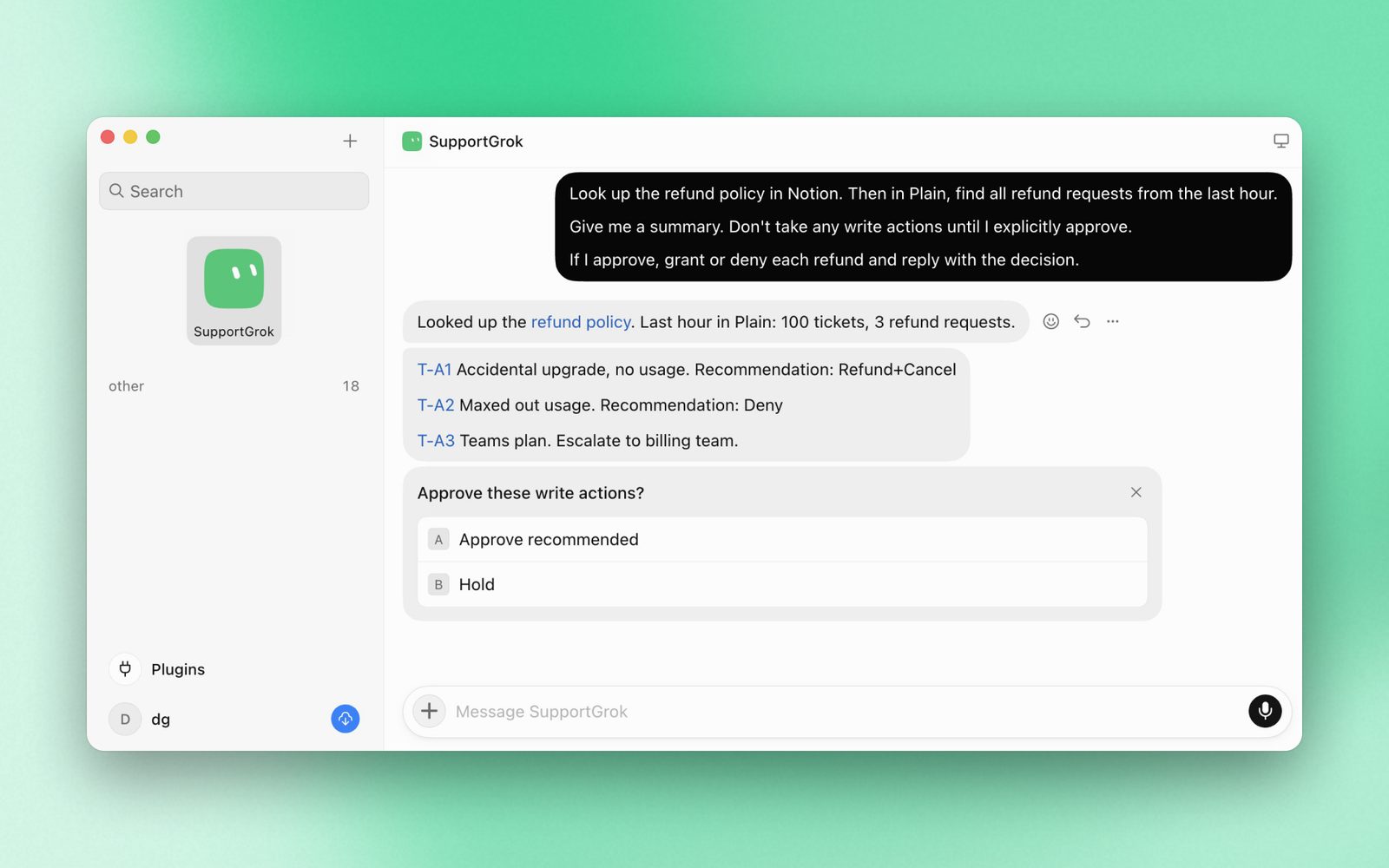
- Approvals and enterprise controls. Auto-review checks tool calls and computer actions before they run, and "Ask first" rules always stop for you (xAI). Enterprises add network allowlists, enforced auto-review, action recording, SCIM and SSO (xAI). OpenTeam has no approval prompts: bots act directly, and its guardrails are the container, Gmail drafts, handoff cards and password forms the model can't read.
- A trial and a low entry price. A usage credit, then $30 a month for Cursor Premium, with model usage included up to the weekly grant. OpenTeam is free, but you pay per token and keep a machine running.
- Maturity. OpenTeam is a young project with a small community, and one model per server is a real limit next to per-task routing.
xAI's Grok Bot guide for support teams shows what an approval looks like.
If that list describes what you need, Grok Bot is the better tool today.
Other open-source Grok Bot alternatives
These five are described from each project's README and site as of October 10. Their licenses differ more than their pitches.
- MausBot (OpenMausBot) calls itself "the open-source Grok Bot alternative." It's a chat app for macOS, Windows and Ubuntu where each bot runs the
claude,codexorgrokCLI on your existing logins, so bots can use different models. Bots work on a cloud Linux desktop, a local VM or, if you opt in, your own computer, with Allow/Deny cards for commands and edits. It's Apache-2.0 except a source-availableenterprise/directory. Always-on cloud plans start at $29 a month, with model usage billed separately (MausBot). - Rakazo describes itself as an "Open-source Grok Bot alternative. Choose your own model and sandbox." It's Apache-2.0 and in beta, with web, desktop, iPhone and Android apps. You self-host it with Docker Compose, and bots get computers in local Docker or from E2B, Daytona, CreateOS or Box.
- CopilotKit's OpenBot is MIT-licensed and calls itself "a template, not a product." Each bot gets its own container with Chromium, and a gateway checks every action against your policy and records it. It needs a CopilotKit Intelligence license (a free Developer plan exists), so it suits developers building their own product.
- nightly-labs openbot is a desktop app for macOS, Windows and Linux, with an iPhone app and a server mode. It runs Codex, Claude Code, Grok CLI and others, plus local models, and it can import agents from Grok Bot. Agents run without per-action confirmations. It's source-available under PolyForm Noncommercial 1.0.0, so commercial use needs a separate license.
- Cua Spaces and Cua Bots. Spaces, for macOS 26 or later, gives agents full macOS or Linux desktops on your Mac, machines you own or your own cloud account, and it's free for individuals. Cua Bots is an example Mac and iPhone app with approvals and rules. Its docs note that "Rules are instructions to the bot, not enforcement" and that routines run while the Mac app is open (Cua). Both are source-available under FSL-1.1-MIT.
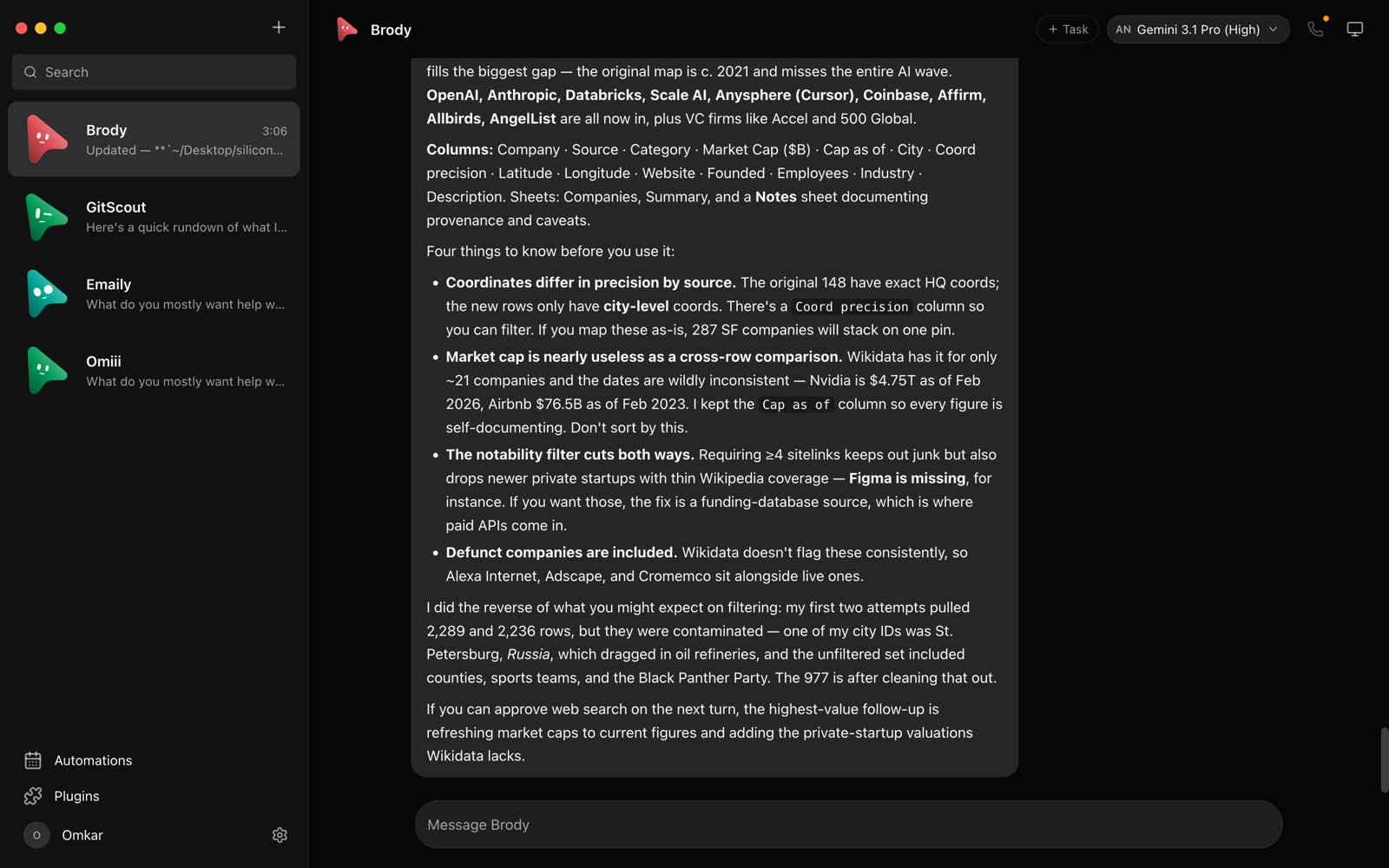
Which should you choose?
- Choose Grok Bot if you want bots running in minutes, need Windows, iPad or Android apps, or want approval prompts and a Team Bot in Slack.
- Choose MausBot if you want a different model per bot through CLIs you already use, with Allow/Deny cards.
- Choose Rakazo if you want an Apache-2.0 option with web and Android apps and a choice of sandbox providers.
- Choose OpenTeam if you want Grok Bot-compatible bots with their own computers on a server you control and any model provider, including a local one, and you can live without approval prompts.
Comparing hosted agents too? See Grok Bot vs Meta Muse vs OpenAI dots. For Anthropic's agent, see our Claude Cowork alternative that runs on your own server.
Frequently asked questions
Is Grok Bot open source?
No. Grok Bot is a proprietary, hosted xAI service that comes with Cursor and SuperGrok plans. OpenTeam (GPL-3.0), MausBot and Rakazo (both Apache-2.0) are open-source alternatives.
Is there an open-source Grok Bot alternative on GitHub?
Yes, several. OpenTeam is at github.com/raghavpillai/openteam under GPL-3.0. MausBot and Rakazo are Apache-2.0 and CopilotKit's OpenBot is an MIT template; nightly-labs openbot and Cua Spaces are source-available.
Can I self-host Grok Bot?
No. Its computers run in xAI's cloud in the United States, and there's no self-hosted edition. A bot can run commands on your own computer if you enable and approve that, but the bot still lives in the cloud (xAI). OpenTeam is a self-hosted Grok Bot alternative for your own computer, home server or VM.
How much does Grok Bot cost in India or the UK?
The same plans apply everywhere; Cursor lists no separate India or UK price. Since October 13, 2026, that means Cursor plans from Premium at $30 a month, listed in US dollars before applicable taxes, or a linked SuperGrok or X Premium+ subscription. OpenTeam is free; you pay for the machine and model usage.
Can I use my own model with Grok Bot?
No. Cursor routes each task to an xAI model or an approved third-party one, with no picker and no local option. OpenTeam uses one model for all bots on a server, from an OpenAI, Anthropic or OpenRouter key or an endpoint such as Ollama, LM Studio or vLLM.
Does OpenTeam work like Grok Bot?
Largely, by design. Its agent tools, platform prompt and built-in skills are built for compatibility with Grok Bot 0.47.0's observed behavior. Results still depend on the model you choose, and OpenTeam has no approval prompts, Team Bots or image generation.
Try OpenTeam
Install the server with curl -fsSL https://openteam.so/install | sh on macOS or Linux, or irm https://openteam.so/install.ps1 | iex in Windows PowerShell, and guided setup follows. The quickstart walks you through your first bot, and the desktop and iPhone apps are on the download page.